1
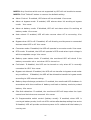
NOTE1: Any functions which are not supported by UPS will not be able to access. NOTE2: Click “Default” button to recover the default setting. l Alarm Control: If enabled, UPS alarm will be activated. Vice versa. l Alarm at bypass mode: If enabled, UPS alarms when it’s working at bypass mode. Vice versa. l Alarm at battery mode: If disabled, UPS will not alarm when it’s working at battery mode. Vice versa. l Auto reboot: If enabled, UPS will auto recover when AC is recovering. Vice versa. l Bypass when UPS is off: If enabled, AC will directly provide power to connected devices when UPS is off. Vice versa. l Converter mode: If enabled, the UPS will operate in converter mode. Vice versa. l ECO mode: If enabled, the UPS will operate in ECO mode when input voltage is within acceptable range. Vice versa. l Battery open status check: If enabled, the monitored UPS will check if the battery connection ok or not when UPS is turned on. l Cold start: If disabled, the UPS can be turned on only when AC is normally connected to UPS. Vice versa. l Bypass not allowed: If enabled, the UPS will not transfer to bypass mode under any conditions. If disabled, the UPS will be allowed to transfer to bypass mode according to UPS internal setting. l Battery deepdischarge protection: If enabled, the monitored UPS shutdown in accordance with the condition of battery and load on battery mode to protect battery. Vice versa. l Site fault detection: If enabled, the monitored UPS will beep when the input neutral and hot wires are reversed. Vice versa. l P1 Programmable outlet control (battery mode): If enabled, when UPS is running at battery mode, it will cut off P1 outlets after backup setting time arrive. If disabled, UPS will provide continuous power to P1 outlets until the battery is running out. 37