1
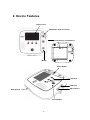
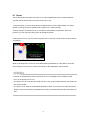
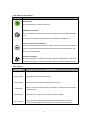
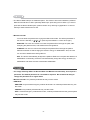
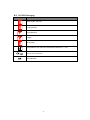
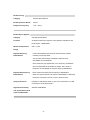
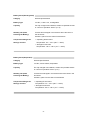
4.9.2 Button and Indicators
Indicator
Description
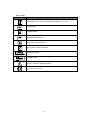
Power Button
This button turns the CU-EM1 on and off.
LOW Battery Indicator
The red indicator will light when the remaining battery of the CU-EM1 falls below
10%.
You need to recharge the battery when the LOW Battery Indicator is on.
Power and Connection Indicator
The blue indicator will light when the CU-EM1 is turned on. When the CU-SP2 is
switched to Monitor Mode and transmitting via Bluetooth, the blue indicator will
blink in 1 second intervals.
Lead-Fault Indicator
The green indicator on Lead-Fault will light if the ECG Measurement Cable is not
properly connected to the patient, the cable is faulty, or the ECG pads are faulty.
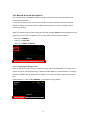
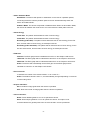
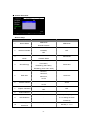
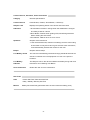
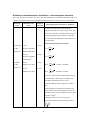
4.9.3 Beeper
Indicator
Description
1 long beep
Beeps when the CU-EM1 is turned on.
2 long beeps
Beeps when the CU-EM1 is turned off.
3 long beeps
Beeps when the CU-EM1 is paired with the CU-SP2.
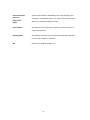
1 short beep
2 short beeps
3 short beeps
Beeps in 10 second intervals when in standby for connecting to the CU-SP2
in Monitor Mode.
Beeps when connecting to the CU-SP2 in Monitor Mode.
Beeps when disconnecting Monitor Mode or the Bluetooth connection,
including unstable Bluetooth connections or communication problems.
35