1
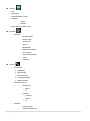
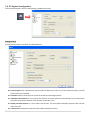
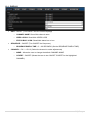
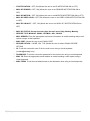
MAIL BY STATUS: Set up how many time the mail send. Daily, Weekly, Monthly
SERVER TYPE: MANUAL, GMAIL, HOTMAIL, AOL, YAHOO
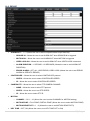
MAIL SERVER: Enter the appropriate mail server information to enable sending daily e-mail
reports using a virtual keyboard.
MAIL PORT: Allows the user to set E-MAIL PORT
SECURE OPTION: – NONE, SSL, TLS (Allows the user to select E-MAIL SECURE
OPTION)
ID: To set the connection user ID for the mail server using a virtual keyboard.
(ex.abcd@abcdefg.com)
PASSWORD: To set the connection password for the mail server using a virtual keyboard.
MAIL TO: Enter the appropriate email address to enable sending e-mail reports using a
virtual keyboard.
MAIL FROM: To set the mail address sent to the destination host using a virtual keyboard.
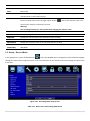
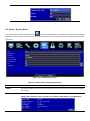
3-7. Setup – Security Mode
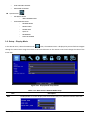
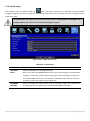
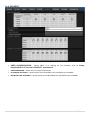
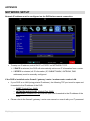
In the SETUP menu, select the SECURITY tab
. Then, the SECURITY menu is displayed as pictured below.
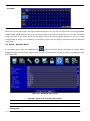
Navigate through the menu items using the mouse or the control button on the remote control and change the value
of the menu item.
Figure 3.7.1. SECURITY Setup Screen
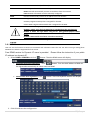
Table 3.7.1. Menu Items in PASSWRORD Setup Screen
Item
Description
USER
Admin only can access to the menu.
AUTHENTICATION
PASSWORD CHECK:
Select either V or nothing for the functions such as
30 | P a g e