1
Browsing the Web
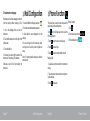
The Android Browser offers an experience that’s as rich and convenient as a desktop browser.
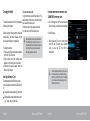
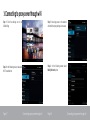
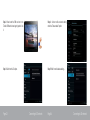
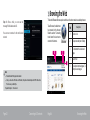
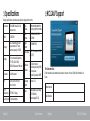
Step 6: After a while you can see the
message “Mobile data enabled”.
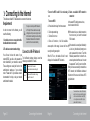
To use Browser, the tablet must
be connected to the Internet.
Read the section "Connecting
to the Internet" to learn how to
connect to the Internet.
You are now connected to the mobile data
network.
2
1
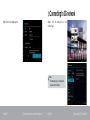
Description
Browser
3
Page 25
Connecting to 3G network
Page 26
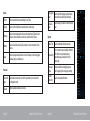
Address bar
2
To open new tab (max 16 tabs)
3
To bookmark the visited web
page
4
Search tool
5
To view book marked pages, To
history & saved pages
4
5
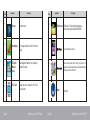
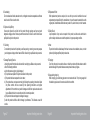
! Note:
! Reboot the tablet if 3G signal is not detected.
! Once you remove the SIM card out of the tablet, 3G option will automatically switch OFF after a while.
This is to save your battery life.
Repeat from steps 1 ~ 6 to enable it.
1
Browsing the Web