1
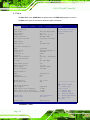
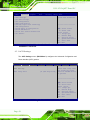
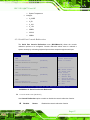
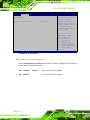
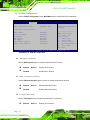
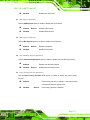
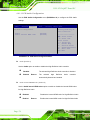
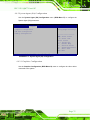
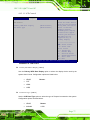
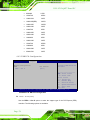
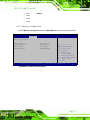
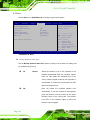
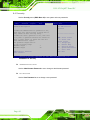
UP C-V315-QM77 P a ne l P C ACP I S le e p Sta te [S 1 (CP U Sto p Clo c k)] Use the ACPI Sleep State option to specify the sleep state the system enters when it is not being used. S1 (CPU Stop DEFAULT The system enters S1 (POS) sleep state. The system appears off. The CPU is stopped; RAM is Clock) refreshed; the system is running in a low power mode. S3 (Suspend The caches are flushed and the CPU is powered to off. Power to the RAM is maintained. The RAM) computer returns slower to a working state, but more power is saved. 4.3.2 RTC Wa ke S e ttin g s The RTC Wake Settings menu (BIOS Menu 4) enables the system to wake at the specified time. Aptio Setup Utility – Copyright (C) 2011 American Megatrends, Inc. Advanced Wake system with Fixed Time [Disabled] Enable or disable System wake on alarm event. When enabled, System will wake on the date::hr::min::sec specified ---------------------- : Select Screen ↑ ↓: Select Item Enter: Select +/-: Change Opt. F1: General Help F2: Previous Values F3: Optimized Defaults F4: Save & Exit ESC: Exit Version 2.14.1219. Copyright (C) 2011 American Megatrends, Inc. BIOS Menu 4: RTC Wake Settings P a g e 57