1
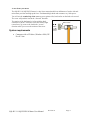
Set up the SQUIGGLE® Motor
Use the following instructions to set up and begin using your SQUIGGLE® motor and MC-3300-RV
controller.
1. Connect the motor(s) to the controller.
You can connect the motor directly to the controller. The MC-3300-RV controller drives
one or two motors.
Do not plug motor into MC-3300 (high voltage) controller as the components are not
compatible and damage may occur to the motor.
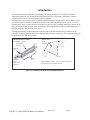
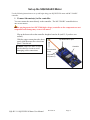
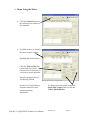
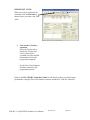
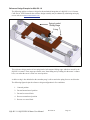
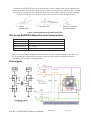
Flip up the brown tab on the controller daughter board at J6 (and J5, if you have two
motors).
With the copper connection side down,
gently slide the motor flex circuit into
place. Close the tab.
Caution: Make sure there is some
slack in the flex circuit to avoid
damaging solder connections.
Flip brown tab to open
Controller
Pre-mounted
motor
J6 (motor 1)
J5 (motor 2)
SQL-RV-1.8 SQUIGGLE® Motor User Manual
Revision A
Page: 4