1
Quick Reference Guide
Controls
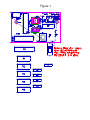
The primary buttons you will use in conjunction with your OBXa MIDI
KIT are listed below.
MANUAL is used to enter MIDI mode.
PROGRAM BUTTONS are used to select the MIDI function you wish
to perform.
GROUP BUTTONS are used to select the value of the respective MIDI
function.
How to Enter MIDI Mode
•
•
Momentarily press the [MANUAL] button.
The MANUAL LED will flash, indicating that you are in MIDI
mode. If you press it for more than 1/2 second, you will
enter the normal manual mode.
How to Exit MIDI Mode
•
•
Momentarily press the [MANUAL] button.
The MANUAL LED will return to its previous state.
How to send a MIDI tune request
•
Press the [AUTO] button.
This will tune the OBXa and also send a MIDI tune request
for any other synthesizer that can receive the command.
How to toggle MIDI Program enable
•
•
Make sure that you are in MIDI mode.
Press the [PROGRAM 2] button. GROUP A LED will be on if
the OBXa responds to MIDI program changes. Any GROUP
button will toggle GROUP A LED. When the LED is off, the
OBXa will ignore program change messages.
How to Change MIDI Channels
•
•
Make sure that you are in MIDI mode.
Press the [PROGRAM 1] button. One or more of the 4 group
LEDs will light showing the current MIDI channel. Press a
combination of GROUP buttons to select a new MIDI
channel. See the GROUP map on the next page. (The MIDI
channel isn't 'saved' until you exit MIDI mode.)