1
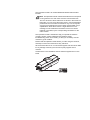
Network Interface Card (IB-23)
The network interface card supports TCP/IP, IPX/SPX, NetBEUI and
AppleTalk protocols, so that the printer can be used on network
environments including Windows, Macintosh, UNIX, NetWare, etc.
The network interface card must be installed in the option interface slot
that is located at the back of the printer.
CAUTION Before inserting a network interface card in the
printer, make sure that the printer is switched off.
Note When the IB-23 is inserted in the printer, the printer does not
enter the Off Mode.
Option
1
2
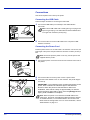
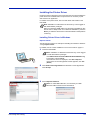
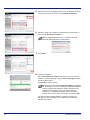
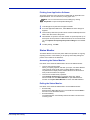
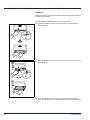
Turn off the printer and disconnect the power cord and printer cable.
3
Remove the optional interface slot cover.
4
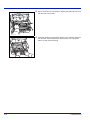
Insert the Network Interface Card and secure it with the screws
removed in step 3.
5
6
7
Close the rear cover, and connect the printer cable.
Open the rear cover.
Connect the power cord, and turn on the printer.
Configure the network address from Quick Setup. For more
information, refer to Operation Guide of the network card.
6-7