1
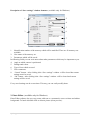
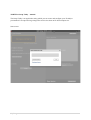
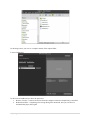
Description of “Save settings” window elements. (available only for Windows)
1
2
4
5
3
6
7
8
8
1.
Identification number of the memory which will be modified. There are 20 memory sets
available.
2. New name of the memory set.
3. Parameters which will be saved.
In following fields you can write notes about other parameters which may be important to you.
4. Angle at which camera is positioned.
5. Background colour.
6. Type of lens which are used.
7. Your comments.
8. “Cancel” button – after clicking it the “Save settings” window will be closed but current
settings won't be saved.
9. “Ok” button - after clicking it the “Save settings” window will be closed and current
settings will be saved.
Every saved settings can be overwritten. This way you can easily modify them.
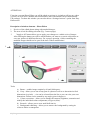
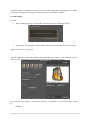
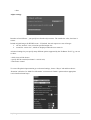
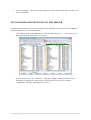
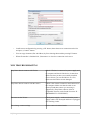
2. Photo Editor. (available only for Windows)
Photo Editor software lets you crop, rotate, add text or a watermark, correct colours and whiten
background. To lunch it double click on chosen picture (from preview).
9|Page