1
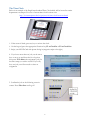
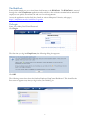
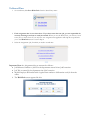
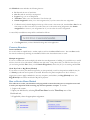
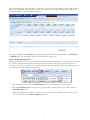
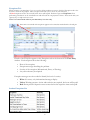
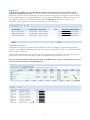
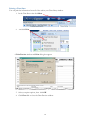
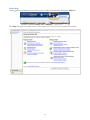
To Record Time 1. To record time, click Go to Web Clock from the Time Entry menu: 2. Each assignment has its own time sheet. If you have more than one job, you are responsible for correctly clocking in and out on each job worked. When you use the Web Clock, you will see a list of active jobs to choose from. If you only have one assignment the application will skip this step and take you to the WebClock screen as seen in Step 4. 3. Select the Assignment (job) for which you need to record time: Important Note: the Assignment titles are structured as follows: Job Reference Number or Job ID as the department entered it into JobConnection Job Title as entered by the department into JobConnection MyJob Employee ID number with a hyphen-then number to differentiate each job from the others. 4. The WebClock screen appears like this: 4