1
Section 4
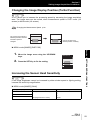
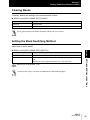
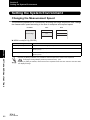
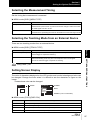
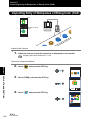
Inspecting by the Size (Area)
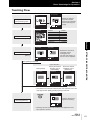
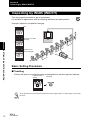
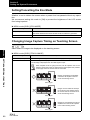
Basic Setting Procedure
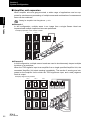
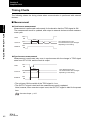
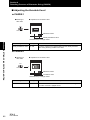
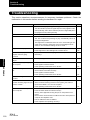
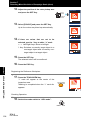
■ Teaching
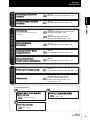
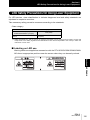
Teaching is performed after the object and color to be inspected are specified.
Inspection
area setting
AREA2
Color Selection
OK
TEACH/PICK
1
1
point
ITEM
Teaching
point
REG.
PICK.
SEL
:VOID
D:HIST
Application and Setting Examples p.152
Section 4 SETTING OF INSPECTION CONDITION
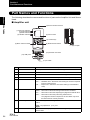
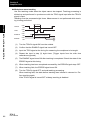
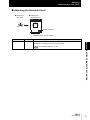
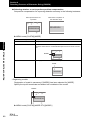
■ Adjusting the threshold level
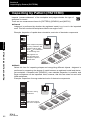
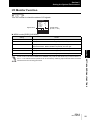
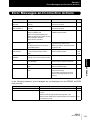
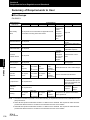
Threshold values are adjusted to determine the range for OK judgments.
Adjust the threshold values referring to the currently indicated measurement results.
Adjustment of the threshold values must be performed in ADJ mode.
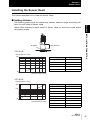
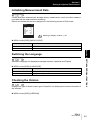
● AREA1/AREA2/AREA3
● Switching to ADJ
mode
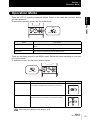
AREA1
OK
ADJ
MENU RUN
1
point
80
L: [ 80] H:[ 120] B
Upper/lower limit
Setting item
Area value
68
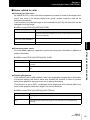
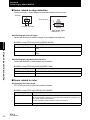
● Adjusting of area value
ZFV-C
User’s Manual
Range
0 to 999
Lower limit
Measured values
Upper limit
LEFT/RIGHT keys: Select upper limit/
lower limit.
UP/DOWN keys: Change values.
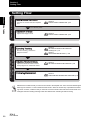
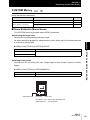
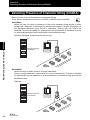
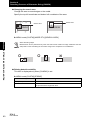
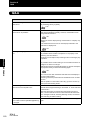
Details of Adjustment
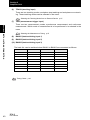
This is the range for OK when the value at teaching is taken to be 100 %.
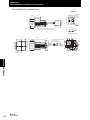
If AREA2 is selected, the same judgment conditions will be used for all the four
colors. Judgment is made based on the color, among the four colors, that has the
largest difference from the reference value.