1
DEVA036 USB User’s Manual
Overview
1
Overview ........................................................................ 1
1.1
Product Features....................................................................... 1
1.2
Support software....................................................................... 1
1.2.1 Windows XP32,Vista32,Win7 32/64,Win8 32/64 ................................... 2
1.2.2 Utilities.................................................................................................... 2
2
Installation and configuration...................................... 3
2.1
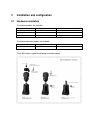
Hardware installation................................................................ 3
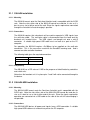
2.1.1 036-AJN installation............................................................................... 4
2.1.1.1 Mounting ................................................................................................................................ 4
2.1.1.2 Connections........................................................................................................................... 4
2.1.1.3 Compatibility.......................................................................................................................... 4
2.1.2 036-AJN-USB installation ...................................................................... 4
2.1.2.1 Mounting ................................................................................................................................ 4
2.1.2.2 Connections........................................................................................................................... 4
2.1.2.3 Compatibility.......................................................................................................................... 5
2.1.3 036-SHK installation .............................................................................. 5
2.1.3.1 Mounting ................................................................................................................................ 5
2.1.3.2 Connections........................................................................................................................... 5
2.1.3.3 Compatibility.......................................................................................................................... 5
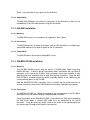
2.1.4 036-BRK-PH10M installation ................................................................. 5
2.1.4.1 Mounting ................................................................................................................................ 5
2.1.4.2 Connections........................................................................................................................... 5
2.1.4.3 Compatibility.......................................................................................................................... 6
2.2
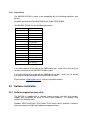
Software Installation ................................................................. 6
2.2.1 Software support memory stick............................................................ 6
2.2.2 System requirements............................................................................. 7
2.2.3 Device driver installation....................................................................... 7
3
Software Development Kit ........................................... 7
i