1
Summit Event Manager - Light
How to...
Find a Postcode
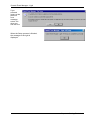
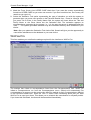
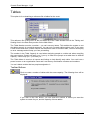
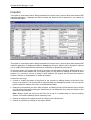
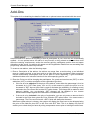
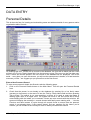
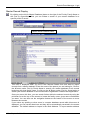
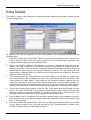
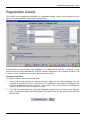
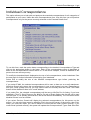
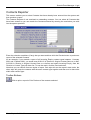
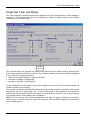
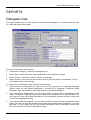
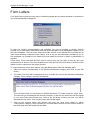
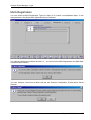
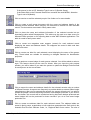
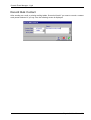
If you don’t know the post code or bulk mail code for an Australian address, enter the Suburb/Town
and State then double-click in either the Postal Code or Bulk Code fields and Summit will get the
postcode and bulk mail presort indicator code for you. The bulk code is Australia Post’s pre-sort
indicator – a regional mail centre.
Alternatively, if you don’t want to use the mouse, you can enter Ctrl+G in either the Postal Code or
the Bulk Code field. You do this by pressing the Control key - usually labelled ‘Ctrl’ on the keyboard
and the ‘G’ key at the same time.
Note: The Ctrl+G is short for ‘Get Postcode’.
In order for the system to find the postcode for you, it must match the suburb and state against the
official Australia Post list of postcodes, so you must be accurate in your spelling of the suburb and
you must use the standard Australia Post abbreviations of ACT, NSW, NT, QLD, SA, TAS, VIC and
WA for the State.
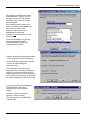
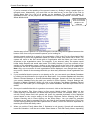
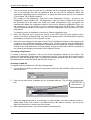
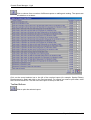
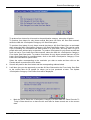
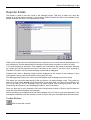
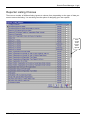
If you’re not sure about the spelling of the suburb, enter the first few letters and click on the down
arrow to the side of the Suburb/Town field. This will list all the suburbs alphabetically. Select the
one you want by clicking on it.
Again, if you don’t want to use the mouse, press Alt+↓ (that is the ‘Alt’ key and the down arrow key
together) in the Suburb/Town field. On the standard keyboard, there are two sets of arrows. If you
want to use the one on the number pad, be sure to turn ‘Num Lock’ off first.
80 - Chapter 3: How To