1
Gigaset S45 / en / A31008-M1754-R101-2-6Z19 / start_guide_time.fm / 15.05.2007
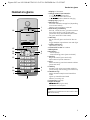
Operating the handset
During an external call
s
u
Open the directory.
Initiate an internal consultation call.
Adjust loudspeaker volume for
earpiece and handsfree mode.
t
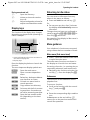
Display keys
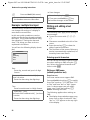
The function of the display keys changes
depending on the particular operating situation. Example:
INT
SMS
1
2
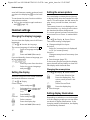
Returning to idle status
You can revert to idle status from anywhere in the menu as follows:
¤ Press and hold the end call key a.
Or:
¤ Do not press any key: after 2 minutes
the display will automatically revert to
idle status.
Changes that you have not confirmed or
saved by pressing §OK§, §Yes§, §Save§, §Send§ or
Save Entry §OK§ will be lost.
An example of the display in idle status is
shown on page 1.
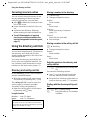
Menu guidance
Your telephone's functions are accessed
using a menu that has a number of levels.
Main menu (first menu level)
1 Current display key functions are shown in
the bottom display line.
2 Display keys
Press the display key below to launch the
function.
The most important display symbols are:
§§§§§§Menu§§§§§
Open the main menu.
§Options§
Open a context-dependent
menu.
W
Delete key: backspace deletes
one character at a time.
Î
Go back one menu level or
cancel operation.
Ó
Copy number into directory.
Ÿ
On bases with built-in answering machines: forward external call to answering machine.
•
Open the last number redial
list (depending on the base
station).
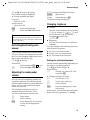
¤ Press v with the handset in idle status
to open the main menu.
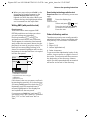
The main menu functions are shown in
the display as a list with icon and name.
Accessing a function, i.e. opening the corresponding submenu (next menu level):
¤ Navigate to the function using the control key q. Press the display key §OK§.
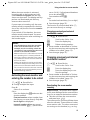
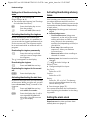
Submenus
The functions in the submenus are displayed as lists.
To access a function:
¤ Scroll to the function with the control
key q and press §OK§.
Or:
¤ Enter the corresponding digit combination.
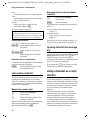
A short press on the end call key a
returns you to the previous menu level /
cancels the operation.
9