1
Song editing Track view edit
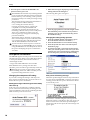
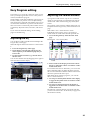
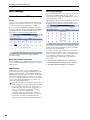
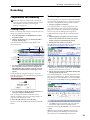
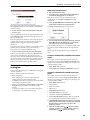
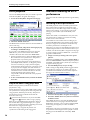
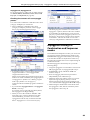
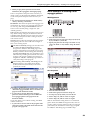
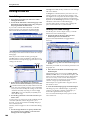
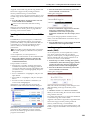
5. In this example, an event exists in the move‐
destination measure, so the Drag Move dialog box will appear.
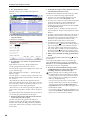
4. While continuing to press, drag to the move‐
destination track, and release.
Overwrite will overwrite the source data over the destination data (replacing the destination data with the source data). Merge will combine the source and destination data.
Press the OK button to execute the move.
If there are no events in the move‐destination measures, this dialog box will not appear; the move will occur immediately.
4
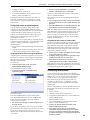
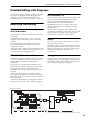
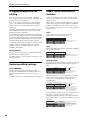
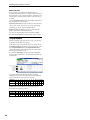
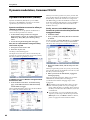
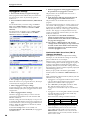
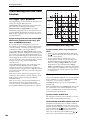
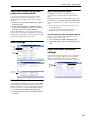
If the move‐destination measures contain events, the Drag Move dialog box will appear.
Overwrite will overwrite the source data over the destination data (replacing the destination data with the source data). Merge will combine the source and destination data. Press the OK button to execute the move.
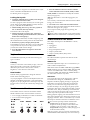
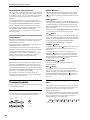
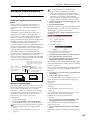
If you choose Overwrite
If you choose Merge
The destination is overwritten
by the source data
If there are no events in the move‐destination measures, this dialog box will not appear; the move will occur immediately.
The two sets of data are combined
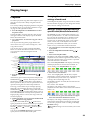
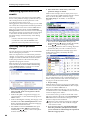
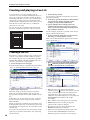
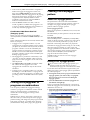
Example)
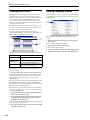
Copying the events of measures 1–2 to measures 3–4
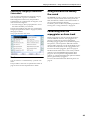
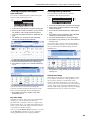
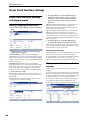
1. Press the tool.
2. Drag over measures 1–2 to specify the edit region.
1
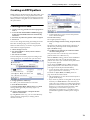
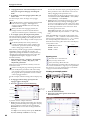
Example)
Moving the data of an entire track
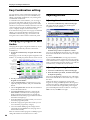
1. Return the location to the beginning.
2. Press the tool.
3. Press the left side of measure 1 in the track you want to move.
2
2
3. Press the tool.
4. Press measure 3 (the copy‐destination measure). Alternatively, drag the edit region to measure 3.
3
4
3
69