1
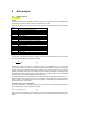
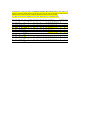
"Country","Vessel","Cruise","Station","StType","Year","log","Month","Day","Hour","Min","Lat","Lon","BottDepth","WinDi
r","WinSpeed"
"FO","OW2252","0332","03320001","HYDR-300-HCSBC",2003,,5,3,1,11,61.83,-7.00,77,45,15
"FO","OW2252","0332","03320001","PLKT-400-HWP2B",2003,,5,3,1,45,61.83,-7.00,77,45,15
"FO","OW2252","0332","03320002","HYDR-300-HCSBC",2003,,5,3,3,20,61.66,-7.30,130,45,15
10.1.4 Internet access to PGNAPES database
Data are stored in an Oracle 10g Express edition database (freeware). The database server is based in
the ”Faroese Fisheries Lab.” (FFL) Tórshavn Faroe Islands. By executing SQL queries through the
Application Express web-interface, the user can extract data in any form.
URL:
http://oracle.frs.fo/apex
Usernames and passwords are individual pr. nation. User access is limited to select data from
the database. Insert , update and delete operations can only be performed by the schema owner
(pgnapes_owner).
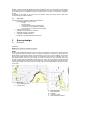
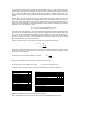
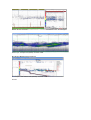
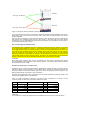
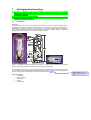
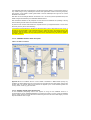
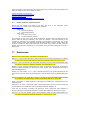
Log in on first page:
A
B
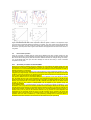
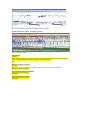
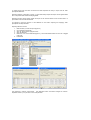
Select the SQL button (Figure .. A) and select the SQL Commands button (Figure… B). Then write or
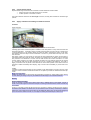
paste your SQL statement into the SQL text box and press the RUN button. Number of rows displayed
are default 10, but can be changed in the Display drop down field.
Saving SQL-statements
It is possible to save your SQL statements, by pressing the ”SAVE” button.. Retrieve your saved
SQL’s by pressing the ”Saved SQL” button.
Its recommended to copy and paste the SQL statements on page 7 and onwards, to get a feel of the
system.
Exporting from database
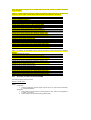
It is possible to download data from the database. After the SQL is executed the link “.csv export” pops
up below the results pane. By clicking the CSV export link data will be downloaded to your computer.
The user will be prompted, to choose to look at the data or to store the data locally.
Note that the format of the browser output and CSV file (decimal sign, thousands separator, text
qualifier, etc.) depends on the language settings of your browser (Internet Explorer ’Internet
options/language).
Standard Query Language
Writing SQL statements is relatively easy. Basically a select statement is divided into 3 parts.
•
Select clause: What do you want to see.
•
From clause: From which table(s) are you selecting data
•
Where clause: Conditions on data selected.
Example codes are listed in Appendix F.
CAUTION: