1
English
6-2 Capture Mode
Capture Mode offers you a quick and easy way to take your ideal
pictures.
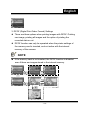
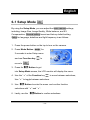
1. Press the power button on the top to turn on the camera. You can
also enter into Capture Mode
through Mode Button
for
2 seconds to enter Setup menu
and use the Function key
move to
to
, and select
.
Upon entering, images will appear
on the LCD monitor.
2. Press and hold the Shutter button down half way to select the
photography location, and a yellow “[ ]" will appear in the center of
the LCD monitor. Select the AE, and press the Shutter button
down fully and release it to complete the recording.
3. You can use
to select two flash light modes when using
the camera: Auto, and Off.
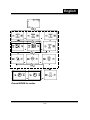
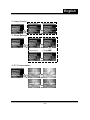
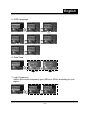
4. Using the Mode Button
to set the details settings for
recording images, e.g., Image Resolution, Image Quality, Self-timer,
and White Balance settings. The menu will appear on the LCD
is pressed. Use “” of the
monitor when Mode Button
Function key
to move between selections.
-37-