1
1.7
Executing in Interpreted BASIC
As previously noted, a program in BASIC may be executed in the
interpretive mode. This means that each line of the program is read,
converted to machine code, and executed before the next program line is
read. This allows you to write and debug your program in an interactive
environment.
The disadvantage of executing a program in the interpretive mode is that it
runs much more slowly than the compiled version of the same program.
NOTE: See the MS-BASIC Software Library Manual for additional
information.
Due to the dynamic nature of the MS-BASIC interpreter, there are
differences in the programming procedures for TIWAY subroutines. These
differences are in variable declaration and initialization.
Methods of passing arrays and single variables to the TIWAY subroutines
are also different.
Getting Started
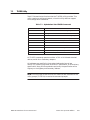
To use the TIWAY subroutines in the interpretive mode, follow these steps:
1.
Use the MS-DOS COPY command to load your licensed copy of
MS-BASIC into the directory containing the TIWAY subroutines.
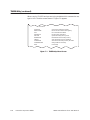
2.
Execute the TIBASIC.EXE program to load the TIWAY subroutines and
start the BASIC interpreter. (This is why BASIC.EXE must be in the
same directory.)
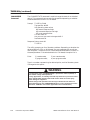
3.
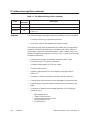
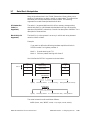
In your program, locate the starting address of the subroutine library
by reading memory locations 0:03E0 and 0:03E1. The contents of these
locations are:
The low byte of the starting address is in 03E0.
The high byte of the starting address is in 03E1.
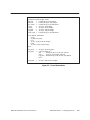
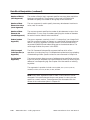
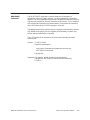
NOTE: The file DEF.BAS contains the necessary statements to load the
starting address into your BASIC program. The BASIC instruction “Merge”
can be used to add this file to your program. (Refer to the MS-BASIC
Language Manual for additional information.)
1-22
Installation
TIWAY Host Software for PC User Manual