1
IRC Data User Manual
90
6.4
Running the pipeline
6.4.1
Data reduction order
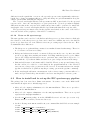
The pipeline has to be run more than once, for NP (AOT0a) or NG (AOT0b) first, then SG1 and
SG2, and finally LG2. We need to start processing the shorter wavelength cameras (NIR and
MIR-S), where larger number of brighter sources are expected to be observed within the FOV as
position reference sources. The information derived there will be used for registering the longer
wavelength cameras (MIR-S and MIR-L).
• to measure relative X and Y shift among spectroscopy sub-frames of NP/NG for registering
spectroscopy sub-frames of NP/NG/SG1/SG2/LG2.
• to measure relative X and Y shift among reference sub-frames of S9W (with larger number
of brighter sources) for registering imaging sub-frames of S9W and L18W.
• to measure relative X and Y shift of the spectroscopy image with respect to the reference
image of NP or NG for registering reference and spectroscopy images of NP/NG/SG1/SG2/LG2.
Therefore the data reduction order should be as follows:
• First run: run the pipeline for NP (AOT04a) or NG (AOT04b), without a target table for
enabling automatic target detection sub-program.
For NG data with point source aperture (Np), one needs to run the pipeline first without
/Np spec option. For other types of slit spectroscopy, one may skip this run because
shift-and-add feature is disabled for this observing mode.
• Second run: run the pipeline for your desired targets. Make target tables for N3, S9W, and
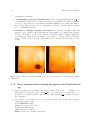
L18W on the raw images (at this stage only N3 image has been processed). Run the pipeline
again for NP/NG/SG1/SG2/LG2 with target lists. Image shift database created previously
with NP/NG will be used for the 2nd run. If your target is compact and bright enough to
be detected by the source detection sub-program, you do not have to perform this 2nd
run. For the 2nd run, begin processing for NP/NG first, then SG1, and finally LG2.
• Third run: run the pipeline again if you want to revise the target table. This is optional.
Now you got processed reference images for revising the target tables. Run the pipeline
again with the updated target tables to see final results.
6.4.2
Running the pipeline
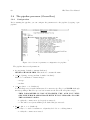
Type the following in the IDL command line (a command in a single line):
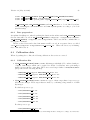
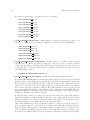
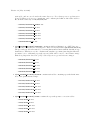
irc specred, <targetid>, <targetsubid>, <ext source table>, <refimage list>,
<specimage list>, <filter spec>
Mandatory arguments:
• targetid: ID of the pointing observation. The information will be provided with the data
distribution.
Example: 1331048
• targetsubid: Sub-ID of the pointing observation. The information will be provided with
the data distribution.
Example: 1