1
7.4.8. Alerts
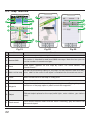
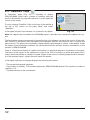
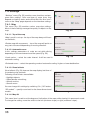
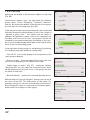
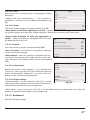
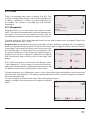
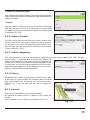
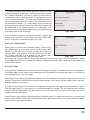
The voice and visual warnings settings (Fig. 70).
7.4.8.1. Speed limits
Speed limits alert when overspeed on specific road section.
«Enable sound allert» - this function turns off the sound
when you are close to the speedcams, railways and manmade unevenness of the road.
You can also select the type of alert tone: «Voice alert» or
«Signal alert».
It is also possible to set the condition of audible and visual
warning: «Do not notify», «Always notify», «Overspeed to 0
km/h 10 km/h and 20 km/h,..., 100 km/h».
Fig. 70
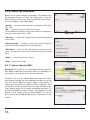
7.4.8.2. Speed cams
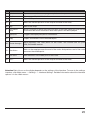
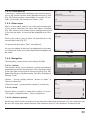
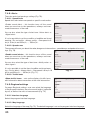
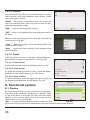
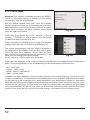
The camera will warn you about the radar, dangerous intersections, speed bumps and pedestrian crossings (Fig. 70).
«Enable sound alerts» - this function turns off the sound
when you are close to the speedcams, railways and manmade unevenness of the road.
You can also select the type of alert tone: «Notify voice» or
«Alert signal.»
It is also possible to set the tipe of audible and visual warning: «Do not allert», «Always alert», «Overspeed is 0 km/h 10
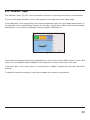
km/h and 20 km/h,..., 100 km/h» (Fig. 71).
Fig. 71
7.4.8.3. Traffic lanes
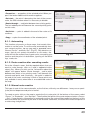
«Show traffic lanes» - sets up the display of traffic lanes,
with information about maneuvers at the next intersection.
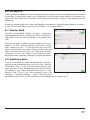
7.4.9.Regional settings
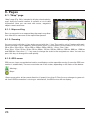
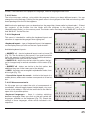
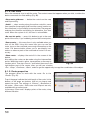
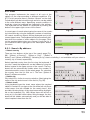
On page «Regional settings» user can select the language
of the program interface, the voice sound (audio), keyboard
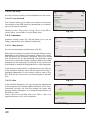
layout, as well as the units of measurement (Fig. 72).
7.4.9.1 Interface language
Select the program interface language.
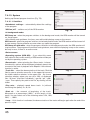
Fig. 72
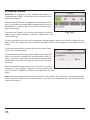
7.4.9.2. Map language
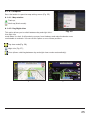
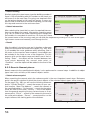
Select the language of the map (Fig. 72). The default language is set as the program interface language.
44