1
•
•
•
•
•
•
•
•
•
•
•
•
•
•
•
•
•
•
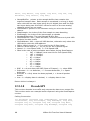
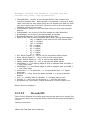
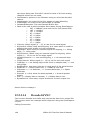
two bytes being two 8-bit ADC values for each of the two analog
channels which are not used.
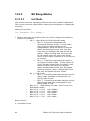
OutFilename: pointer to the filename string to write the decoded
data to.
StartSample: the index of the first sample to start decoding
EndSample: the index of the last sample to decode
NumberOfSamples: The total Sample Buffer Size
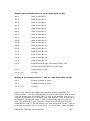
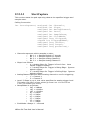
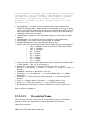
Rate is the rate at which samples were taken during StartCapture:
o
247 = 24Msps (must use this for Full Speed USB)
o
167 = 16 Msps
o
127 = 12 Msps
o
87 = 8 Msps
o
67 = 6 Msps
o
47 = 4 Msps
o
37 = 3 Msps
o
27 = 2 Msps
o
17 = 1 Msps
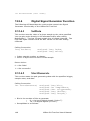
Channel: Which signal (0 – 15) to use for the serial signal
AlignValue: When using word aligning, bus value which is used for
aligning the serial stream to byte boundaries.
AlignEdge: When using an external signal for aligning, 0 = falling
edge, 1 = rising edge.
AlignChannel: When using an external signal for aligning, which
signal (0 – 15) to use for the align signal
UseAlignChannel: 0 = use word aligning, 1 = use external align
signal
ClockChannel: Which signal (0 – 15) to use for the clock signal
CLKEdge: 0 = use falling edge of the Clock to sample data, 1 = use
rising edge
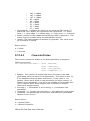
BitsPerValue: how many bits are in each word of the serial stream
MSBFirst: 0 = LSBit is sent first, 1 = MSBit is sent first
Delimeter: 0 = no delimiter, 1 = Comma delimeter, 2 = Space
delimeter
Showall: 0 = Only show the data payload, 1 = show all packet
details
Hex: 0 = display data in decimal, 1 = display data in hex
BytesPerLine: How many output words are on each output line.
Return Value is always 0
12.5.3.14
DecodeASYNC
This routine decodes bus traffic and outputs the data to an output file.
This routine works on a sample buffer captured using the StartCapture
routine.
Calling Convention
104
USBee DX Test Pod User’s Manual