1
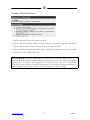
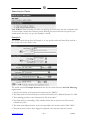
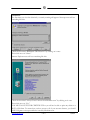
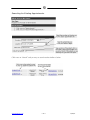
11. Type the patient’s email address and pager number (area code first) in the spaces provided.
12. Type the dollar amount of the patient’s visit co-pay in the space provided.
13. Type the effective date of the patient’s current or newest insurance in the space provided.
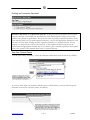
14. If the patient does NOT have insurance, skip to step 28. Otherwise, click once on “Primary
Insurance” and follow steps 15 through 27.
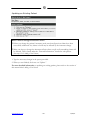
Primary Insurance
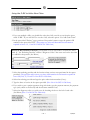
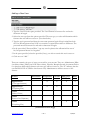
15. In the space titled “Insurance,” select the patient’s current insurance carrier.
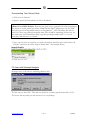
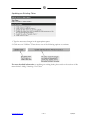
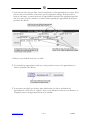
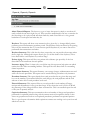
The Insurance Carrier I Need Isn’t There! You will only be able to select from the
insurance carriers you have already added to your account. If you need to add another insurance
carrier, make sure that first, you click once on “Add” so that you won’t lose any patient info
you have already entered. Then click once on “Maintenance” and once on “Insurance.” When
you are finished adding the new insurance carrier, click once on “Patients” and search for the
patient you were adding. Select that patient, select the action “Update Patient Info” and click
once on “Go!” Now you are free to finish adding the patient’s insurance information.
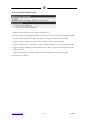
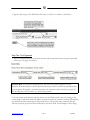
16. Type the patient’s insurance ID number (Box 1a of the HCFA-1500 Form) and group
policy number (Box 11 of the HCFA-1500 Form) in the spaces provided.
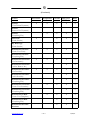
17. Type the insurance carrier’s telephone number and eligibility phone number in the spaces
provided.
18. If the patient is capitated with this insurance, check the space titled “Capitated.”
19. Select the patient’s relationship to the insured from the options provided.
(Box 6 of the HCFA-1500 Form)
20. Type the insured’s last name, first name and middle initial in the spaces provided.
(Box 4 of the HCFA-1500 Form)
21. Type the insured’s nine-digit social security number in the space provided.
22. Type the insured’s date of birth (MMDDYY) in the space provided and select the
insured’s sex. (Box 11a of the HCFA-1500 Form)
23. Type the insured’s address and home phone number (area code first) in the spaces
provided. (Box 7 of the HCFA-1500 Form)
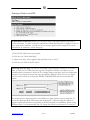
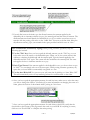
24. Under the heading titled “Employer Information,” type the full name of the insured’s
employer. (Box 11b of the HCFA-1500 Form)
25. Type the insured’s employer ID number in the space provided.
26. Type the address of the insured’s employer in the spaces provided.
27. Type the city, state and zip code of the insured’s employer in the spaces provided.
www.medrium.com
<6>
8/29/01