1
Information Navigator Manual
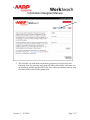
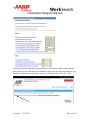
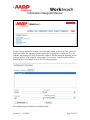
Click on the “Choose” box and select one of the options. All of your SCSEP enrollees
should be identified with the SCSEP program service. This is an important piece of
information and needs to be correctly entered for each User.
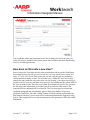
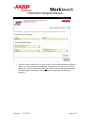
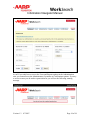
The next step is to add an Outcome for the User. Click on the Add Outcome option.
You will then see the next screen where you can enter the name of the company you
referred the User to, the date you referred them, identify the industry type, whether or not
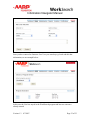
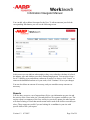
they actually became employed and any comments you want to add. Click the Continue
button to save the record. You can enter as many Outcomes as necessary.
Version 1.3 8/7/2007
Page 22 of 22