1
SuperBlade User's Manual
4-3
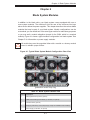
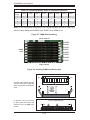
GbE (Ethernet) Switch
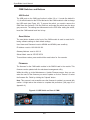
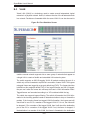
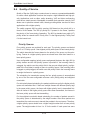
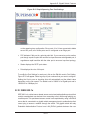
The GbE Ethernet switch includes 10 (ten) 1 Gb/s uplink (RJ45) ports and 14 1 Gb/s
downlink ports for the SuperBlade's LAN interfaces. The Ethernet switch module
has two internal Ethernet paths to the CMM(s) and is used to provide a connection between the Ethernet controller integrated on the mainboard and an external
Ethernet device. This is a hot-pluggable module.
GbE modules can only be installed in the upper and/or lower left module bays.
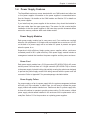
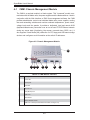
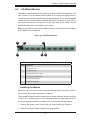
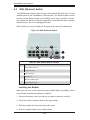
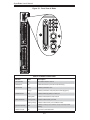
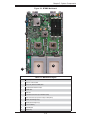
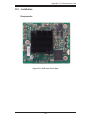
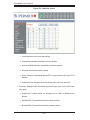
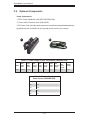
Figure 4-5. GbE (Ethernet) Switch
2
5
1
4
3
6
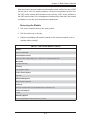
Table 4-6. GbE Switch Module Interface
Item #
Description
1
RS232 (COM) Serial Port
2
"Initiation OK" LED
3
Module Fault LED
4
Ethernet Ports
5
Ethernet Port Status LEDs
6
Module Release Handle
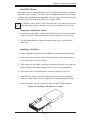
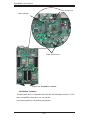
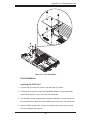
Installing the Module
Make sure the cover to the module has been installed before proceeding. Follow
the anti-static precautions described in Chapter 2.
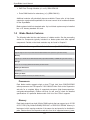
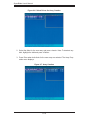
1. Remove the dummy cover from the bay you want to place the module in.
2. Place the module's release handle in the open position.
3. Slide the module into the module bay until it stops.
4. Push the release handle to the closed position.
4-10