1
Error Messages and Troubleshooting
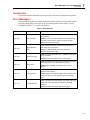
Error Messages
7
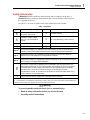
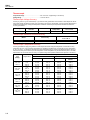
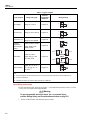
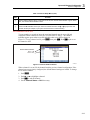
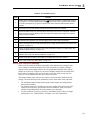
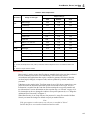
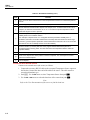
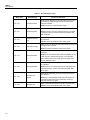
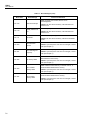
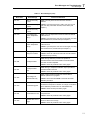
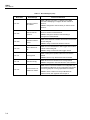
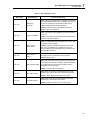
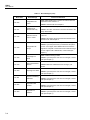
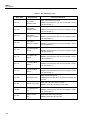
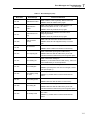
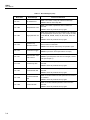
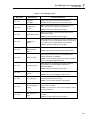
Table 7-1. Error Messages (cont.)
Error Code
Error Message
Error 1331
Command
incomplete
Error 1333
Invalid channel
number
Error 1334
Illegal channel count
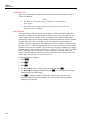
Causes and Solutions
Cause: An incomplete command line was received.
Solution: Make sure that correct command was sent.
Cause: Invalid channel number was found by command
parser. This could be caused by a wrong format.
Solution: Check the parameter and try again.
Cause: The number of channels exceeds the limit when
parse the channel list.
Solution: Check the parameter and try again.
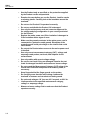
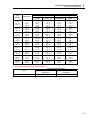
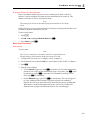
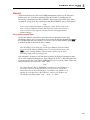
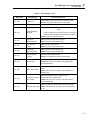
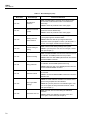
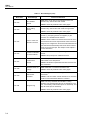
Error 1337
Operation not
allowed
Cause: Operation is not allowed for current configuration, and
the channel is not in scan list. Make sure that you have input
the command with correct parameters and channel ID.
Solution: Check the parameter and try again.
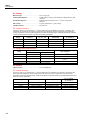
Error 1338
Error 1339
Error 1340
Operation not
allowed in DMM
mode
Memory is empty
File name too long
Cause: Operation is not allowed in DMM mode.
Solution: Use command *RST to reset to factory default.
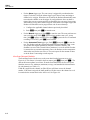
Cause: Command DATA:LAST? or DATA:READ? was
received, but data is not available.
Solution: Check the trigger settings, and make sure that the
Instrument is properly triggered for scan.
Cause: More than 30 characters were found in filename
which specified in command MEM:LOG:READ? or
MMEM:LOG:READ?
Solution: Check the parameter and try again.
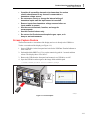
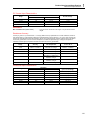
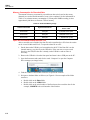
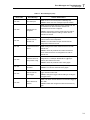
Error 1341
Scan sweep in
process
Error 1601
Error copying file
Cause: Operation not allowed while scan is in progress.
Solution: Send command ABORt to stop the scan.
Cause: File coping failed while running SYSTem:DFU
command because source is missing.
Solution: Check to see if the file is in the memory.
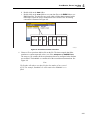
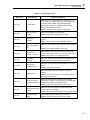
Error 1602
Error modifying file
property
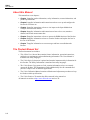
Error 1603
USB memory not
ready
Cause: Failed to change file property while running
SYSTem:DFU command.
Solution: Cycle the power. If the error occurs again, contact
Fluke (see Chapter 1).
Cause: USB drive not ready for recording or memory
operations.
Solution: Install the USB drive. See Chapter 2.
7-19