1
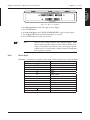
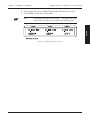
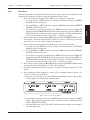
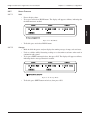
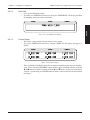
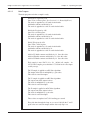
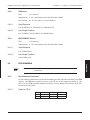
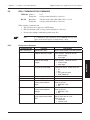
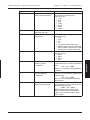
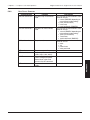
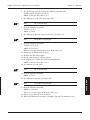
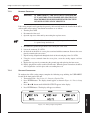
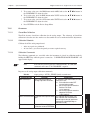
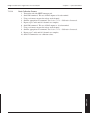
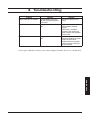
Chapter 7 – Optional Features Magtrol Model 6510e Single-Phase Power Analyzer 5. To set amps value, press the RMS button under AMPS and use the buttons in the USER MENU to adjust the value. 6. To set volts value, press the RMS button under VOLTS and use the buttons in the USER MENU to adjust the value. 7. To set watts value, press the AVG button under WATTS and use the buttons in the USER MENU to adjust the value. 8. Press ENTER to exit the Device Setup Menu. 7.1.5 Calibration 7.1.5.1 Closed-Box Calibration The 6510e features closed-box calibration for the analog output. The advantage of closed-box calibration is that the user does not have to disassemble the case or make mechanical adjustments. 7.1.5.2 Calibration Schedule Calibrate the 6510e analog output board: • After any repairs are performed. • At least once a year; more frequently to ensure required accuracy. 7.1.5.3 Calibration Commands The following commands are accessible when the instrument is placed in calibration mode by holding the SHIFT key while the power is turned on. “CALIBRATION MODE ENABLED” will appear on the display. Note: If the unit has not been placed in calibration mode, all calibration commands will return “CAL DISABLED” response. Response to all analog output calibration commands: Default: Command Code CMm<terminator> output_string = <NULL_STRING (0x00) ><terminator> Function Sets calibration mode for analog output D/A channels. 50 OPTIONS Explanation "m" indicates calibration mode OFF/ON. Values for m are: 0 = D/A calibration mode OFF (normal output mode) 1 = Set all D/A output channels to Positive Full Scale. (+10 V nominal) 2 = Set all D/A output channels to Negative Full Scale. (-10 V nominal) CGm1,m2<terminator> Calibrates D/A output channel "m1" indicates D/A channel (1-3). gain. "m2" indicates the measured D/A channel output voltage (positive or negative full scale depending on calibration mode).” CX<terminator> Saves all D/A analog output --calibration values to EEPROM.