1
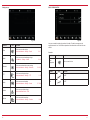
MLT Playlist
GRACENOTE
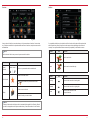
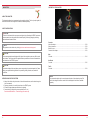
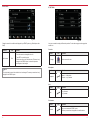
The Gracenote functions can be used for playback via USB or SD card. When a music source
is connected, Gracenote synchronizes with the source. This process can take some minutes,
depending on the size of the music source connected. An update for the Gracenote database can
be downloaded from www.zenec.com → Support → Software-updates under the particular ZENEC
system.
Function
Icon
Operation
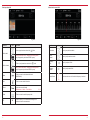
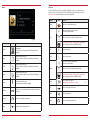
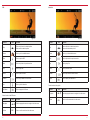
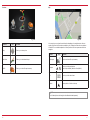
MLT
This function generates a playlist based on the song currently
playing
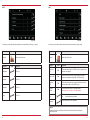
Audio → Gracenote → Playlist
S. 33
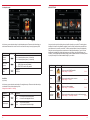
Title
Touch to list the available titles A > Z
Artist
Touch to list the available artists A > Z
Album
Touch to list the available albums A > Z
Genre
Touch to list the available genres A > Z
Mood
Sorting by mood
Audio → Gracenote → Mood
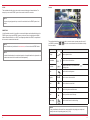
MLT playlist
Touch to access the temporary MLT playlist
Audio → Gracenote → MLT Playlist
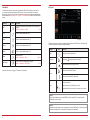
Fig. 2/14
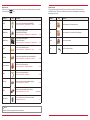
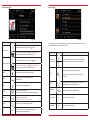
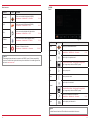
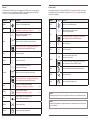
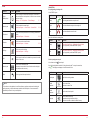
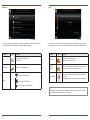
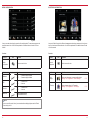
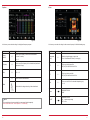
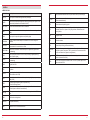
This function gives you the option of managing playlists created by the MLT feature. After being saved
the MLT playlist will be filled with the names of the artists.
Function
S. 34-37
S. 33
Icon
Operation
Folder
Touch to go to the next higher level
Temporary
By pressing
Save
Touch the temporary MLT playlist to save it
Portions of the content is copyright © Gracenote or its providers
a temporary playlist is created*
Hold down to delete an MLT playlist
Delete
Hold down to delete an MLT playlist song
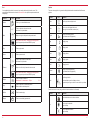
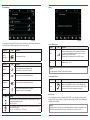
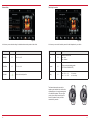
Scroll through the list:
Scroll
Touch and hold to move the slider up or down
Tap and hold your finger on the list to move the list up or down
NOTE
*This list will be deleted as soon as the ZENEC system is switched off. To retain this playlist
permanently, it must be saved.
NOTE
The deletion of playlists and songs is only possible in the saved MLT playlists. Folders, songs and
directories that already exist, or temporary MLT playlists cannot be edited.
32
33