1
GP-C830/GP-M830/GP-C831/GP-M831/GP-C832/GP-M832
User’s Guide
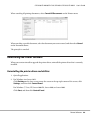
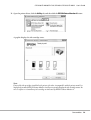
6. Hold down the Pause button for about three seconds. The Pause light flashes and the printer
enters Micro Adjust mode.
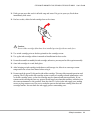
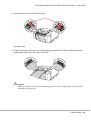
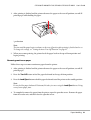
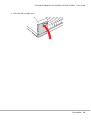
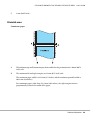
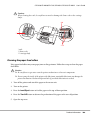
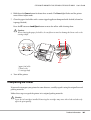
7. Clean the paper feed rollers with a cotton-tipped applicator dampened with alcohol (ethanol or
isopropyl alcohol).
Press the FF button or Load/Eject button to rotate the rollers while cleaning them.
! Caution:
When cleaning the paper feed rollers, be careful not to touch or damage the linear scale or the
carriage shafts.
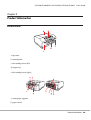
* paper feed roller
** linear scale
*** carriage shaft
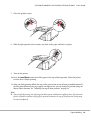
8. Turn off the printer.
Transporting the Printer
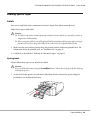
If you need to transport your printer for some distance, carefully repack it using the original box and
packing materials.
Follow these steps to repack the printer in its original packing materials.
! Caution:
Leave the ink cartridges installed. Removing the cartridges may cause ink to leak and adversely
affect the print quality.
Product Information
107