1
Fusion Digital Power Designer User’s Guide
D
For Version 1.3.23+
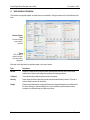
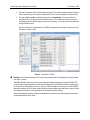
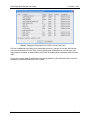
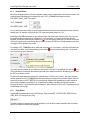
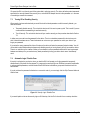
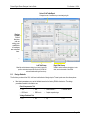
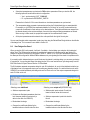
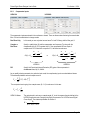
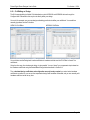
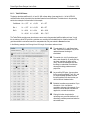
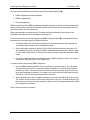
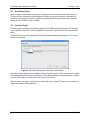
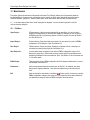
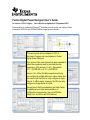
The Reload/Reset Design button is used to redefine the CLA inputs based on the current hardware
coefficients and/or reset the plant inputs based on the EVM reference design. Fs and Vout will be reset to
current hardware values of VOUT_COMMAND and FREQUENCY_SWITCH.
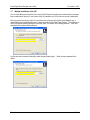
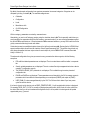
Clicking the button brings up a dialog box, in which you can select what to reload/reset:
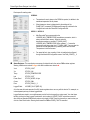
The default is to only redefine the compensator for the currently selected table/bank. Selecting the middle radio
button will only reset the plant. Selecting the bottom radio button will reset both the plant and compensator
inputs.
E
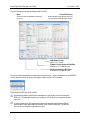
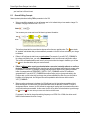
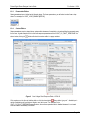
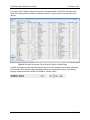
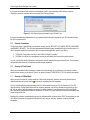
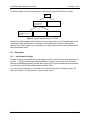
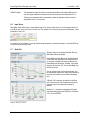
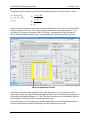
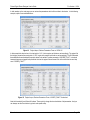
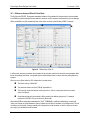
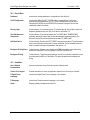
The System radio buttons select whether to plot the continuous (s-domain) or discrete (z-domain) response.
On the UCD92XX, only the discrete option is available. On the UCD91XX, the discrete option also adds in
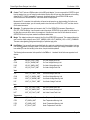
Gdelay to the compensator. See design errata starting in Section 8.11 for a summary of design equations and
individual gain components for each device family.
F
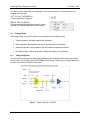
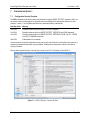
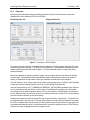
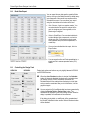
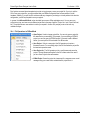
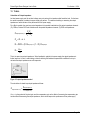
The Plot radio buttons controls whether the plant, compensator, or loop (plant*compensator) response is
shown in the bode plot.
G
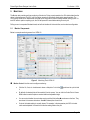
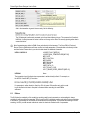
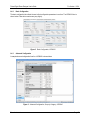
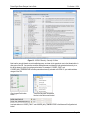
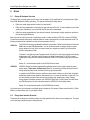
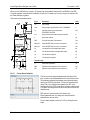
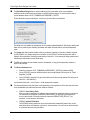
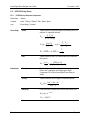
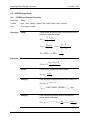
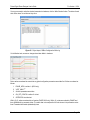
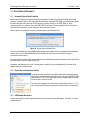
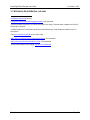
The Write to Hardware button:
•
Writes any changes to VOUT_COMMAND and FREQUENCY_SWITCH to hardware (RAM).
•
On the UCD91XX, writes the coefficient table for the currently selected CLA tab (such as “Table 1 –
Regulation”) to RAM.
•
On the UCD92XX, writes the CLA gains to the flash bank for the currently selected CLA tab (such as
“Bank 0x0 – Soft Start/Stop”).
A confirmation of the write – or list of errors – will be display when complete.
H
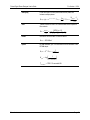
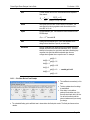
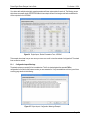
The name and behavior of the final button varies depending on the target device. But in each case, the button
is only enabled after the coefficients have been written to hardware.
•
UCD91XX: Save Table to Flash
When you write the coefficients to hardware, they are loaded into operational memory on the device.
You must save the parameters in the device’s RAM to flash if you want this set of coefficients to
survive a device reset. Clicking this button will execute the PMBus STORE_DEFAULT_ALL
command. You will receive a confirmation.
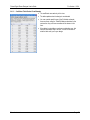
•
UCD92XX: Activate Flash Bank
The UCD92XX normally selects the current, active flash bank automatically based on the current
mode of the device: soft start/stop, light load, or normal operation. You can force the device to switch
to a particular flash bank using this button.
Texas Instruments
Page 43