1
Introduction of other functions
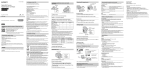
Other functions used when shooting or playing back can be operated using the
control button or MENU button on the camera. This camera is equipped with a
Function Guide that allows you to easily select from the functions. While
displaying the guide, try the other functions.
MENU
Control
button
Function Guide
x Control button
DISP (Display Setting): Allows you to change the screen display.
(Self-Timer): Allows you to use the self-timer.
(Smile Shutter): Allows you to use the Smile Shutter mode.
(Flash): Allows you to select a flash mode for still images.
z (Tracking focus): Allows you to continue to focus on a subject even if the
subject moves.
x Menu Items
Shooting
GB
14
Movie shooting
scene
Select movie recording mode.
Panorama
Shooting Scene
Select recording mode when shooting panoramic images.
Scene Selection
Select pre-set settings to match various scene conditions.
Picture Effect
Shoot still images with an original texture according to
the desired effect.
Easy Mode
Shoot still images using minimal functions.
Color hue
Set the color hue when [Toy camera] is selected in
Picture Effect.