1
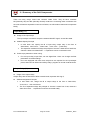
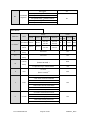
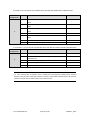
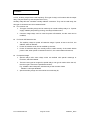
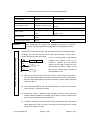
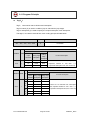
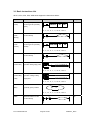
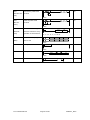
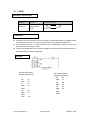
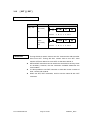
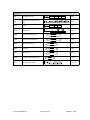
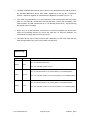
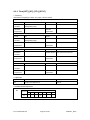
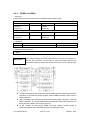
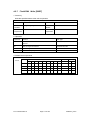
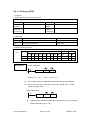
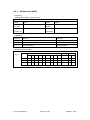
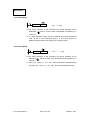
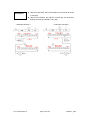
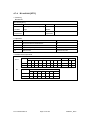
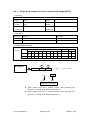
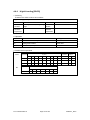
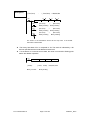
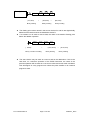
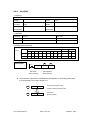
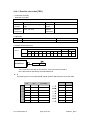
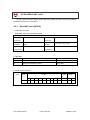
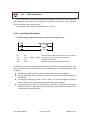
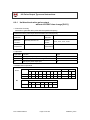
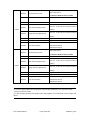
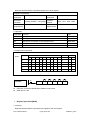
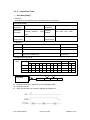
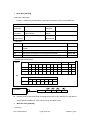
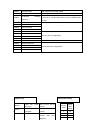
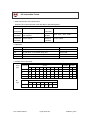
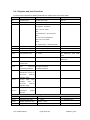
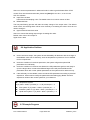
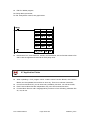
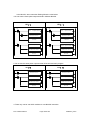
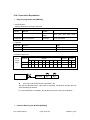
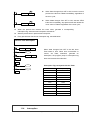
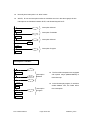
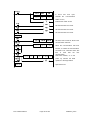
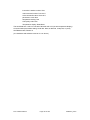
Specify the set value
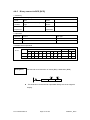
Write the indirect data register
the contents of the data
memory indirect pre-written
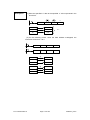
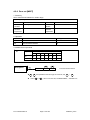
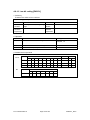
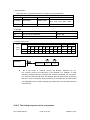
《Constant (K)》
X0
program or through the switch
T10
input values.
K100
In keeping with the register
specified as a power outage,
《Register (D)》
X0
please pay attention to the
MOV
K200
battery voltage, if less than the
D5
value set will result in an
X1
T10
unstable situation.
D5
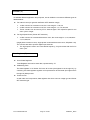
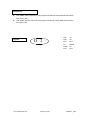
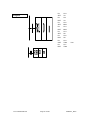
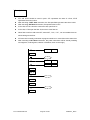
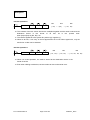
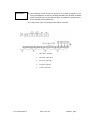
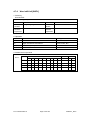
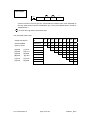
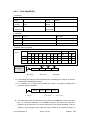
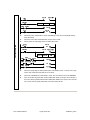
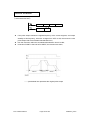
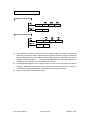
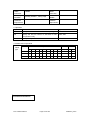
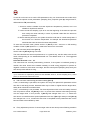
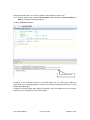
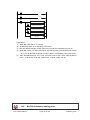
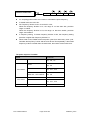
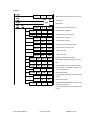
T10 is the timer with 100ms as the unit.
Specify 100 as the constant, then
0.1s*100=10s timer works;
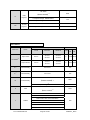
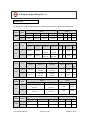
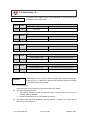
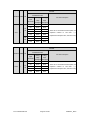
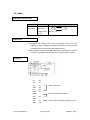
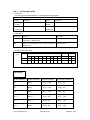
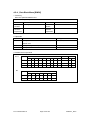
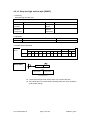
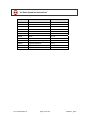
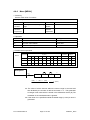
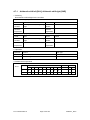
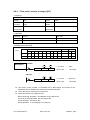
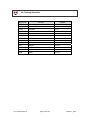
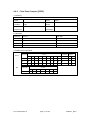
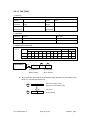
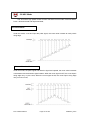
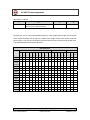
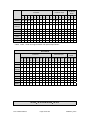
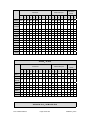
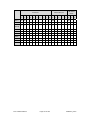
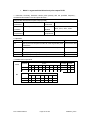
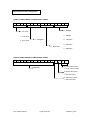
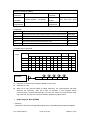
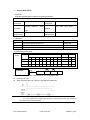
Timer Value
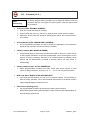
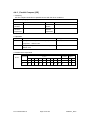
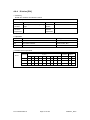
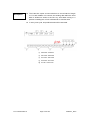
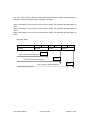
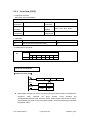
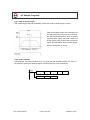
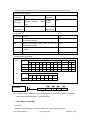
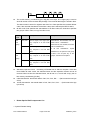
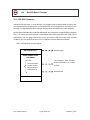
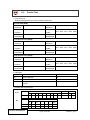
Timer T0~T599 is 16 bits linear increment mode (0~K32,767), when the timer’s value
reaches the max value K32767, it stops timing. The timer’s status keeps still;
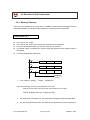
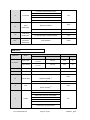
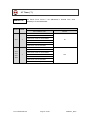
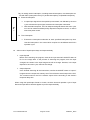
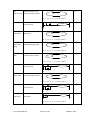
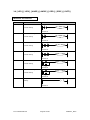
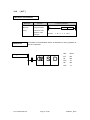
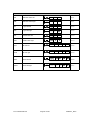
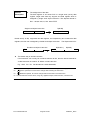
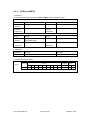
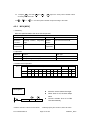
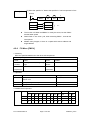
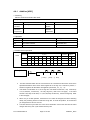
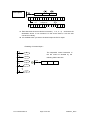
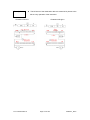
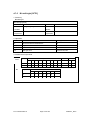
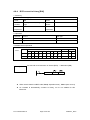
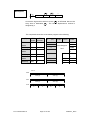
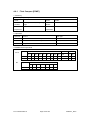
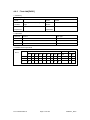
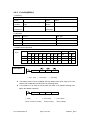
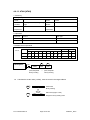
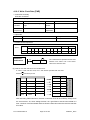
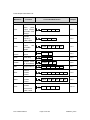
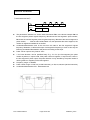
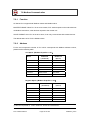
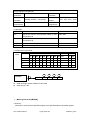
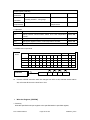
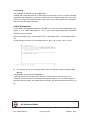
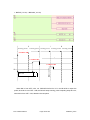
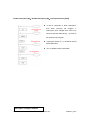
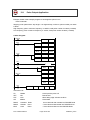
(Output Delay off timer)
Action
Example
X0
T2
Y0
Y0
X0
T2
X0
K200
T2
Y0
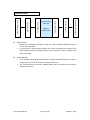
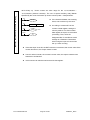
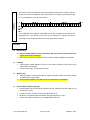
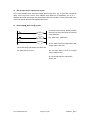
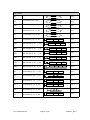
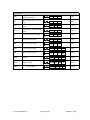
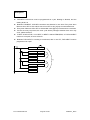
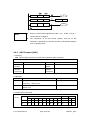
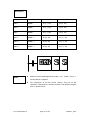
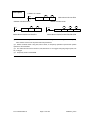
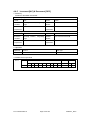
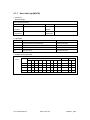
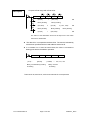
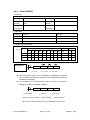
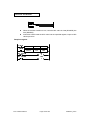
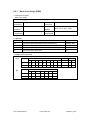
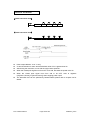
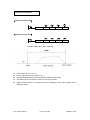
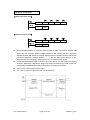
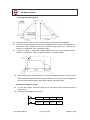
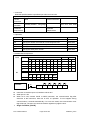
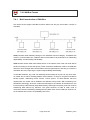
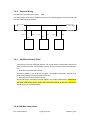
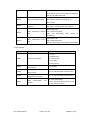
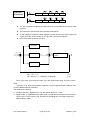
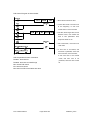
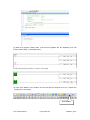
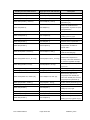
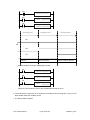
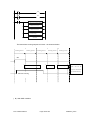
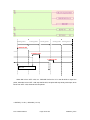
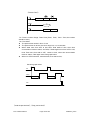
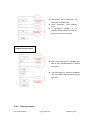
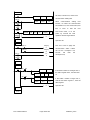
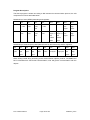
X000 is ON, the output Y000;
When the X000 by the ON → OFF, it will delay T2 (20 seconds) time, the output
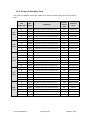
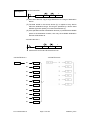
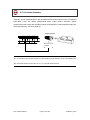
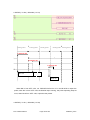
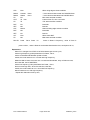
Y000 was disconnected. (Flicker)
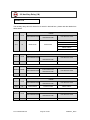
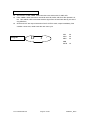
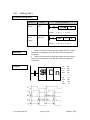
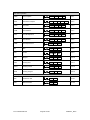
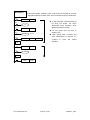
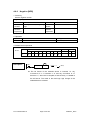
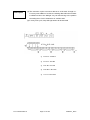
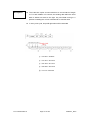
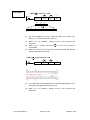
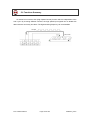
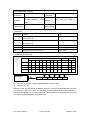
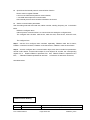
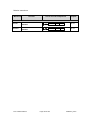
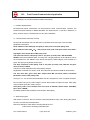
X0
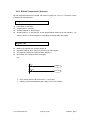
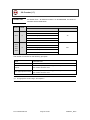
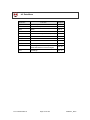
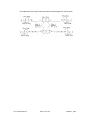
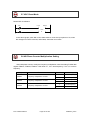
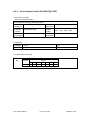
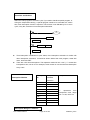
Counter
T1
T2
T1
K20
X0
T2
K10
T1
T2
T1
Y0
Y0
PLC Software Manual
Page 39 of 365
LMAN021_R2V2