1
Chapter 3. Your First Programs
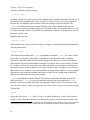
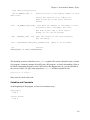
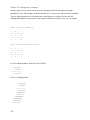
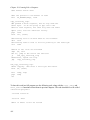
However, since the registers we have discussed are word-sized and not byte-sized, you cannot use
the full register. Instead, you have to use a portion of the register.
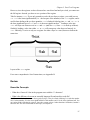
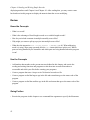
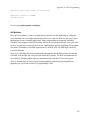
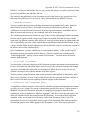
Take for instance %eax. If you only wanted to work with two bytes at a time, you could just use
%ax. %ax is the least-significant half (i.e. - the last part of the number) of the %eax register, and is
useful when dealing with two-byte quantities. %ax is further divided up into %al and %ah. %al is
the least-significant byte of %ax, and %ah is the most significant byte.13 Loading a value into
%eax will wipe out whatever was in %al and %ah (and also %ax, since %ax is made up of them).
Similarly, loading a value into either %al or %ah will corrupt any value that was formerly in
%eax. Basically, it’s wise to only use a register for either a byte or a word, but never both at the
same time.
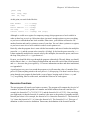
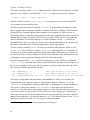
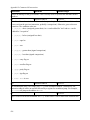
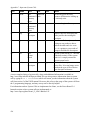
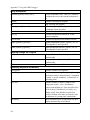
Layout of the %eax register
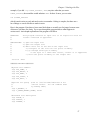
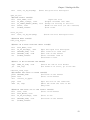
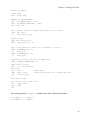
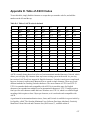
For a more comprehensive list of instructions, see Appendix B.
Review
Know the Concepts
•
What does if mean if a line in the program starts with the ’#’ character?
•
What is the difference between an assembly language file and an object code file?
13. When we talk about the most or least significant byte, it may be a little confusing. Let’s take the number
5432. In that number, 54 is the most significant half of that number and 32 is the least significant half. You
can’t quite divide it like that for registers, since they operate on base 2 rather than base 10 numbers, but that’s
the basic idea. For more information on this topic, see Chapter 10.
31