1
NaviPlan User Manual: Calculators
Conventions
This user guide uses the following conventions.
n
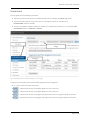
The names of items on the screen are bolded and italicized. For example, the Clients page opens.
n
The names of items that you must select, click, or enter appear in bold. For example, select
Recommended, and then click OK.
n
To help you navigate through the application, locations are separated by en dashes (–). For example, Enter
Financial Data section – Net Worth – Accounts.
Enter Financial Data section – Net Worth category – Accounts page
To help you use this guide, please note the following abbreviations and graphics:
n
FA – Refers to the Forecaster Assessment.
n
– Indicates that the step or paragraph applies to Level 1 Plans only.
n
– Indicates that the step or paragraph applies to Level 2 Plans only.
n
– Indicates that the step or paragraph only applies when you are using the Average Tax method.
n
– Indicates that the step or paragraph only applies when you are using the Detailed Tax method.
Page 5 of 50