1
WEBSTAT W7350A1000
SCHEDULES
Schedules define the days and times when an occupancy
event must occur. Schedules are weekly calendars for
occupancy mode changes. Schedules also contain special
event information such as holidays or unplanned events.
NOTE: You can have a maximum of five schedules in WebStat.
You can create, modify or delete a schedule only if you have
these privileges assigned to you.
There are three occupancy modes:
• Occupied: A period of time when the controlled
environment is considered to be occupied. It requires a
closer control for comfort, health, and safety.
• Unoccupied: A period of time when the controlled
environment is considered to be unoccupied. It is used to
reduce energy consumption.
• Standby: A period during the normal occupied period
when the space may not be occupied. It is used for energy
saving programs.
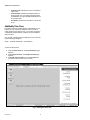
View Schedules
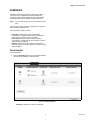
To view Schedules:
1.
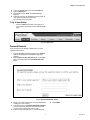
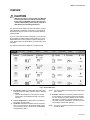
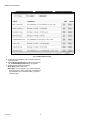
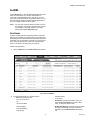
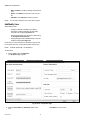
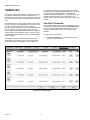
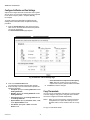
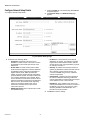
Click the Schedules tab. The list of schedules appears
with the following details in a tabular format:
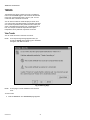
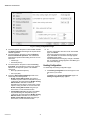
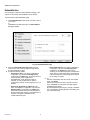
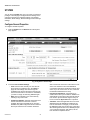
Fig. 12. List of Schedules.
• Schedule: Indicates the name of the schedule.
15
63-2658—03