1
3. PROJECTING AN IMAGE (BASIC OPERATION)
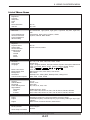
Selecting a Source
Selecting the computer or video source
Using the cabinet buttons
LAMP
STATUS
POWER
SOURCE
SELECT
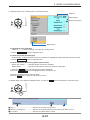
Press the SOURCE button.
ON/STAND BY
AUTO
ADJ.
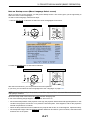
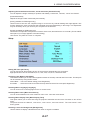
Press and quickly release the SOURCE button on the projector cabinet to display the Source list. Each time the
SOURCE button is pressed, each source name will be highlighted in sequence.
Using the Remote Control
VIDEO
COMPUTER AUTO ADJ.
S-VIDEO COMPONENT NOISE RED.
VOLUME
ASPECT
HELP
PICTURE
FREEZE
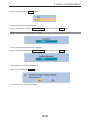
Press any one of the VIDEO , S-VIDEO , COMPUTER or COMPONENT
buttons.
NOTE: If no input signal is available, the projector will display a blue background (factory preset).
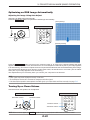
Adjusting the Picture Size and Position
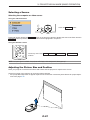
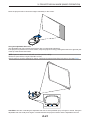
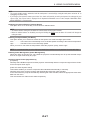
Place your projector on a flat level surface and ensure that the projector is square to the screen.
Lift the front edge of the projector to center the image vertically.
* If the projected image does not appear square to the screen then use the Keystone feature for proper adjustment. See page E-25.
E-22