1
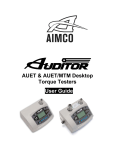
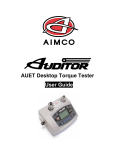
Auditor DC I / II Manual
Table of Contents
Page No
CE Marking
3
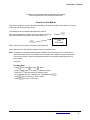
How to use this Manual
3
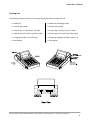
Packing List
4
Care & Storage
5
Battery Charging
5
Edit Transducer File
6
Barcode Read Input
8
Measure Mode (Up to 200 readings stored)
9
Measure Mode - circle store option
10
Direct measure Mode
11
To Display Recorded data
13
To View Cp and Cpk
13
French Cp and Cpk
14
To Erase Stored Data and Set-ups
To Erase readings stored in measure mode
15
15
Printing
To print readings taken in measure mode
16
16
To set Date and time
17
To Set power off and Backlight Time Delays
17
To Configure Printer Port
17
To Display Software Version Number
17
To set Password Protection
18
To clear Password Protection
18
To Perform Software Reset
20
To Communicate With a PC
21
Example printouts
Printout of Readings taken in measure mode
22
22
Glossary of Terms
23
Error Messages
25
External Connectors
27
CE Marking
PO Box 16460, Portland OR 97292-0460 • 503-254-6600 • Fax 503-255-2615 • www.aimco-global.com
2