1
Operation
6.4 Transponder
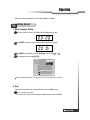
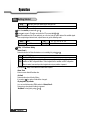
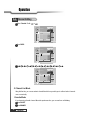
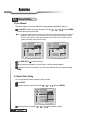
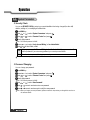
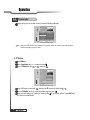
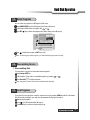
1. TP Edit / Scan
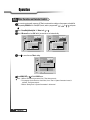
After ‘LNB Configuration’ and ‘Antenna Setup’ procedure, when necessary, you can edit and/or add
certain TPs (transponders)
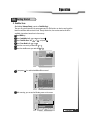
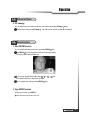
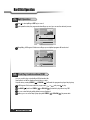
Press MENU key.
Select ‘Installation’ with
Select ‘TP Edit/Scan’ with
or
CH
CH
, and press
CH
or
CH
.
, and press
.
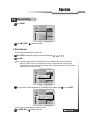
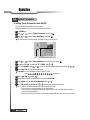
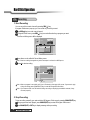
TP Edit/Scan
Good
Satellite Name
AsiaSat 2
TP Frequency
[24] 4,000 GHz
Polarization
Horizontal-18V
Symbol Rate
28,123 MSPS
Scan
Free+Scrambled
TP Delete
81%
-Select,
-Main,
-Prev.
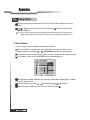
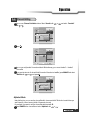
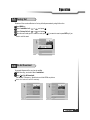
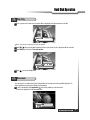
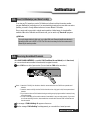
Select the ‘Satellite Name’ which includes the TP you want to add/edit with
Move to ‘TP Frequency’ with
and select the TP you want to edit with
CH
VOL
VOL
or .
VOL
or .
VOL
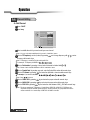
If you want to add the new TP, enter the TP frequency with numeric keys.
Select ‘Polarization’ by pressing
Select ‘Symbol rate’ by pressing
numeric keys .
CH
CH
and the set the proper value for selected TP with
VOL
or .
VOL
and enter the symbol rate value for the selected TP with
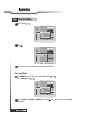
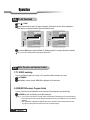
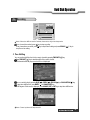
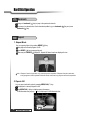
After entering all values of the TP parameters, move to ‘SCAN’ section (column) with
for storing all the entered TP data.
CH
and press
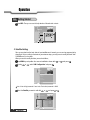
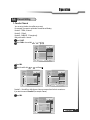
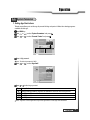
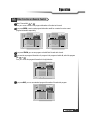
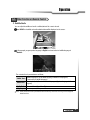
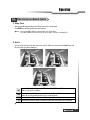
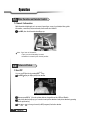
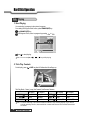
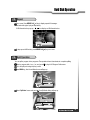
As a result, you can get the following menu showing the scanning process.
TP Edit/Scan
Satellite Name
TP Frequency
Q
Press
Polarization
Good
Symbol Rate
USER
Scanning
[15] 3,820 GHz
to stop scanning
Vertical-14V
28,123 MSPS
Scan
Free+Scrambled
TP Delete
81%
-Select,
-Main,
-Prev.
Operation
33