1
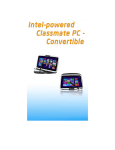
TouchPad Precautions The TouchPad is a pressure sensitive device. Please take note of the following precautions. Make sure the TouchPad does not come into contact with dirt, liquids or grease. Do not touch the TouchPad if your fingers are dirty. Do not rest heavy objects on the TouchPad or the TouchPad buttons. You can use the TouchPad with Microsoft Windows as well as nonWindows applications. Resetting the System After installing a software application package, you may be prompted to restart the system to load the changed operating environment. To reset the system, press the [Ctrl] + [Alt] + [Delete] keys simultaneously to pop-up a full screen menu. Select “ log off” to completetly turn off your settings and return Windows to original setting. If the computer has stopped responding and Windows resetting procedures are ineffective, press and hold the power button for at least 5 seconds to turn off the computer. Using the Touch Screen This model display panel also works as a touch screen. You can use the stylus pen to control system operations or as a pen for writing or illustration applications. When using the computer for the first time, power on and follow the on screen instructions to active the touch screen. Never try to tap or write on the screen with excessive force, this may damage the LCD display. Rotating the Display Panel Your computer can be rotated up to 180 degrees, clockwise or counterclockwise. Fold it down with the display facing up to use it as writing pad. You can rotate the screen horizontally or vertically to suit your needs. 45