1
IMPORTANT: Make sure that backup software is not backing up any
of the GFI MailEssentials directories at any point.
NOTE: If you have a cluster please read the following Knowledge
Base
article
prior
to
installing
GFI
MailEssentials:
http://kbase.gfi.com/showarticle.asp?id=KBID001639
GFI MailEssentials will need to start and stop the Microsoft Exchange
Server services during installation.
Running GFI MailEssentials setup
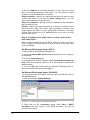
1. On the Microsoft Exchange Server machine, log-on as administrator
and run the GFI MailEssentials setup file.
2. Select the language in which you would like to install GFI
MailEssentials (English or German).
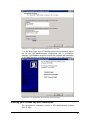
3. A welcome dialog will appear. Close all the other running Windows
programs and click Next to continue.
NOTE: At this stage GFI MailEssentials will be performing backend
checks such as searching for installed applications and it might take
some time for the Next button to appear.
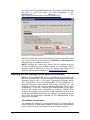
4. GFI MailEssentials will prompt you to check for a more recent
version or build. Always use the latest version.
5. Read the licensing agreement carefully. To proceed with the
installation, select I accept the license agreement and click Next.
6. To install GFI MailEssentials to the default location, click Next to
continue. Alternatively, to specify a custom installation folder click
Browse, select a new installation path and click Next to continue.
7. Enter your name, company name, and license key. If you are
evaluating the product, leave the default ‘Evaluation’. Click Next.
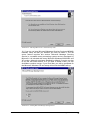
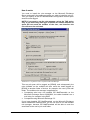
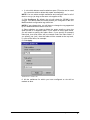
8. Setup will ask you for the administrator email. GFI MailEssentials
will use the administrator email to send critical notifications.
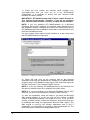
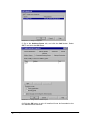
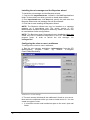
9. If you are installing GFI MailEssentials on a Microsoft Exchange
Server 2000/2003 configured as a front-end server, or on a Microsoft
Exchange 2007 Edge Transport Server Role machine (i.e. in a DMZ in
front of another Microsoft Exchange Server), you can choose whether
you want to install GFI MailEssentials in Active Directory mode or in
SMTP mode. Active Directory mode allows you to select users present
in Active Directory for user-based configuration/rules, such as a
disclaimer. However, on a front-end server not all users are available.
In this case, it is better to select SMTP mode, which allows you to
input the SMTP email address for user based configuration/rules.
8 • 1BInstalling GFI MailEssentials
GFI MailEssentials 14 user manual