1
Autor
Name
Datum: 04.10.2011
Robert Hauser
Manual - English
Version: 1.2
Transfer Management
Main Window
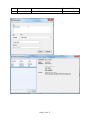
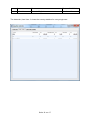
In the main window the transfers are managed.
Here you can get a quick overview about the sent and received cards with name and transfer
ID.
The “Transfer_ID” is the ID, which is also shown on the postcard.
The “Partner” is the person, from whom one has received a postcard or to whom one sent
the postcard. In column “DataReceived” it shows information whether you received a
postcard from the partner.
Under “IsSent” you see whether the card is sent or not. In the column “User” you see the
card sender.
With the „+“ – character you can add a transfer.
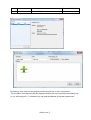
In field search you can search for Transfer-ID, Partner and User.
For example if “User” is entered only the blue marked data record is shown in the table.
The same procedure also works with the other fields.
Seite 11 von 17