1
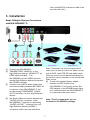
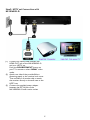
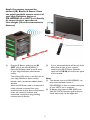
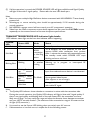
Step3: If necessary, connect the
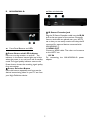
Infrared (IR) Blaster & Sensor. Users
can point hand-held remote control of
your High Definition device at
NX-HDMIWL-R or HDTV set directly
for source device’s operation at
Line-of-sight (20 meters transmission
distance).
(1)
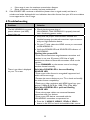
Plug the IR Blaster cable into the IR
OUT jack of the NX-HDMIWL-T.
Place the IR blaster head in the IR senor
of your High-Definition video devices
nearby.
The infrared (IR) sensor is on the front of
your High Definition device, usually
behind a dark, sometimes reddish plastic
window.
When the IR blaster cable is connected, it
relays infrared command from your
remote to the various device components.
Users can control AV device with
transmitter connection using existing
remote control directly.
(2)
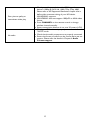
If your connected device will be out of the
direct line of sight of your remote
controls, plug the IR Sensor Extender
cable into the IR IN jack at the rear panel
of the receiver.
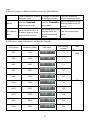
Note:
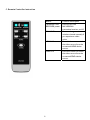
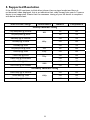
(1) The remote control of NX-HDMIWL can
only switch between inputs of
NX-HDMIWL. It does not switch the inputs
of your HDTV set or projector.
(2) IR blaster only supports 38K (NEC) and
36K (RC5, RC6) remote’s signal protocol.
Some device may not be supported.
9