1
4. LOADING A DOCUMENT
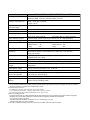
Regarding the automatic detection of the paper size
This scanner supports the automatic detection of the document size by determining where
the edges of the document are. The edges of the document cannot, however, always be
detected correctly, especially if the document is thin. The scanner also assumes that the
document is set in the center when it determines the document size.
The correct document size cannot be detected when a carrier sheet is used because
the carrier sheet is detected instead.
The document size may not be detected correctly if the document hold-down unit or
transparent contact plates are dirty. Please clean the document hold-down unit and
transparent contact plates in such cases.
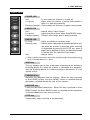
When automatic detection is selected for the document size
Automatic detection
The document is scanned to automatically detect width and length.
Automatic detection of standard size
The document is scanned in the standard paper size determined from the automatically
detected document width.
Automatic detection—ISO series
Automatic detection—ANSI series
Automatic detection—ARCH series
Automatic detection—DIN series
The document is scanned in the paper size of the respective series as determined from
the automatically detected document width.
4–2
CS500/IS200