1
■
REFERENCE MANUALS
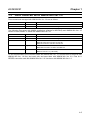
Related user’s manuals are as follows. When using Monitoring software, refer to the user’s manuals
of applicable products as needed. For information on the manuals, please consult our sales representative.
Name
OMNUC SMARTSTEP A SERIES Servomotors/Servo Drivers
USER’S MANUAL
OMNUC SMARTSTEP A SERIES Servomotors/Servo Drivers
OPERATION MANUAL
OMNUC W SERIES AC SERVOMOTORS/SERVO DRIVERS
USER’S MANUAL
■
Cat. No.
I533-E1-01
I534-E1-01
I531-E1-03
NOTATION
In this manual, the following conventions are used to describe screen messages and mouse/keyboard operations.
Names of menus and menu items are indicated in bold italic, e.g., the File Menu.
Names of keys and buttons are indicated in bold (usually followed by "Key" or "Button"), e.g., Tab Key
and OK Button.
Dialog boxes and window names are indicated with capitalization, e.g., the Search Dialog Box.
The levels of items in menu hierarchies are distinguished with slashes. For example, "Select File/
New" tells the reader to select New from the File Menu.
The "+" sign is used to indicate that keys are pressed simultaneously. For example, "Press the
Ctrl+S Keys" tells the reader to press the S Key while holding down the Ctrl Key.
"Click/Double-Click" indicates left click/left double-click. "Right Click" is particularly mentioned.