1
SY-P4S DRAGON Ultra
BIOS Setup Utility
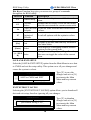
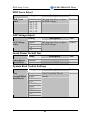
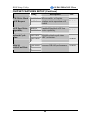
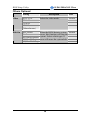
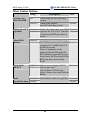
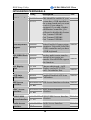
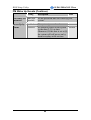
System Boot Control Settings (Continue)
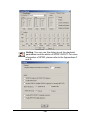
Setting
Boot Other
Device
Description
Disabled
Enabled
Select Your Boot
Device Priority.
Note
Default
RAID/ATA, SCSI Select Your RAID/ATA Default
RAID/ATA &
SCSI Boot Order SCSI, RAID/ATA & SCSI Boot Device
Priority.
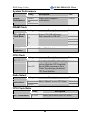
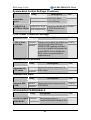
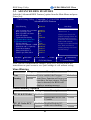
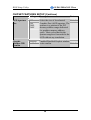
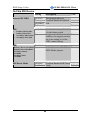
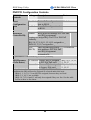
C.I.H. 4-WAY Protection Settings
Setting
C.I.H. 4-WAY
Protection
Disabled
Enabled
Description
Note
When set to enabled, the BIOS can Default
only be programmed through
AWDFLASH, making sure that
any virus is unable to program the
system BIOS. Set to disable the
BIOS can be programmed the
traditional way.
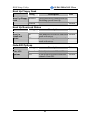
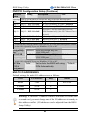
Onboard 6Ch H/W Audio
Setting
Onboard 6Ch
H/W Audio
Enabled
Disabled
Description
Enabled/Disabled Onboard 6Ch
H/W Audio.
Note
Default
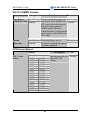
Onboard IDE RAID
Setting
Onboard IDE
RAID
Enabled
Disabled
Description
Enabled/Disabled Onboard IDE
H/W RAID.
Note
Default
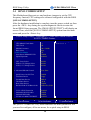
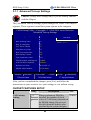
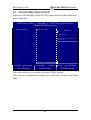
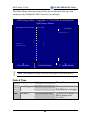
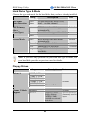
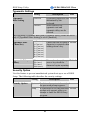
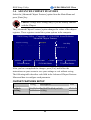
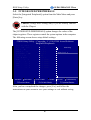
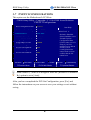
INTEGRATED PERIPHERALS
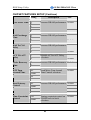
Setting
SiS-900 10/100M Disabled
ETHERNET
Enabled
Description
Note
The function allow to
Enabled/Disabled Onchip LAN. Default
43