1
SIDSTATION
28
Owners Manual
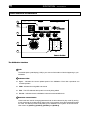
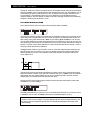
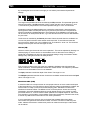
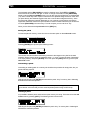
Depth - controls the outgoing depth of the current LFO.
Add - selects the LFO to be added to the current LFO.
AdDep - controls the depths of the added LFO, in this case LFO 1. Setting AdDep to 0 means
that no other LFO is added (default).
Note: For a walk on the wild side, try adding the output of an LFO to itself! The LFO will
start to have a life of it’s own.
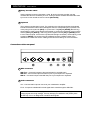
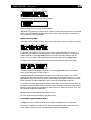
The LFO shape menu (Shape)
This menu is two screens wide and the first screen is seen below:
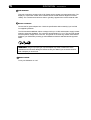
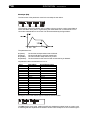
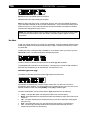
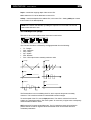
The LFO base waveform is selected by the Typ parameter from the following:
•
•
•
•
•
•
Tri - Triangle
Saw - Sawtooth
Rmp - Ramp
Sqr - Square
Rnd - Random
Flat – LFO output is set to a steady maximum value
Triangle
Sawtooth
Ramp
Square
Random
Flat
The Flat waveform is a non-oscillating flat LFO, which output is always set to a steady
maximum. This is useful as a base for external MIDI control messages.
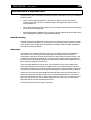
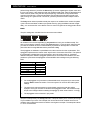
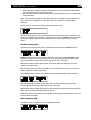
To set the speed of the LFO, use the Spd parameter. The value is a divisor from from the
system sync speed (see section “The menu system” for more info). A higher value consequently
means that the oscillator is slower.
AbZ inverts all LFO output values below zero. The LFO waveform output is forced into the
positive domain so that no negative values are allowed which can be useful with some
modulation parameters.