1
12-Channel Electrocardiograph User Manual
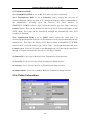
Manual: In the Manual mode, users can determine which lead group needs to be
recorded and set the parameters according to different lead group.
Auto: In the Auto mode, the lead groups are switched automatically according to
different lead sequence while recording. When ECG signal of one lead group has been
recorded within a certain time, it will be switched to another lead group automatically
and begins to record the ECG signal of that lead group.
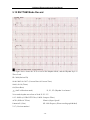
Rhythm: In the Rhythm mode, users can select rhythm leads to record 60s or 20s
rhythm wave.
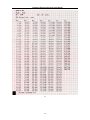
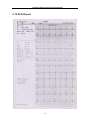
R-R: In the R-R mode, users can select a lead to record its R-R Histogram, R-R Trend
Chart, 180s ECG waveform and all the R-R values.
(2) Manual Style
When Manual Style is set as 3 channel, users can record 3 leads ECG wave
simultaneously.
When Manual Style is set as 6 channel, users can record 6 leads ECG wave
simultaneously.
When Manual Style is set as 12 channel, users can record 12 leads ECG wave
simultaneously.
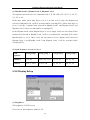
(3) Auto Display Style
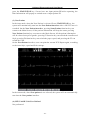
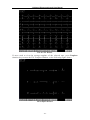
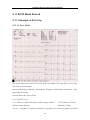
When Auto Display Style is set as 3×4, 12 leads are displayed in 4 columns and 3
rows.
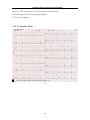
When Auto Display Style is set as 3×4+1rhy, 12 leads are displayed in 4 columns and
3 rows, with one rhythm lead at the bottom.
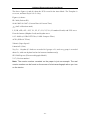
When Auto Display Style is set as 3×4+3rhy, 12 leads are displayed in 4 columns and
3 rows, with three rhythm leads at the bottom.
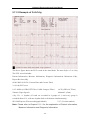
When Auto Display Style is set as 6×2, 12 leads are displayed in 2 columns and 6
rows.
When Auto Display Style is set as 6×2+1rhy, 12 leads are displayed in 2 columns and
6 rows, with one rhythm lead at the bottom.
-39-