1
3. Getting started
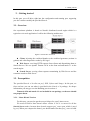
entering password
3.2.9. Setup passphraseless ssh
Client node must ssh to Web server and Search Server nodes without a passphrase,
Now check that.
$ ssh localhost
If you cannot ssh to nodes without a passphrase, execute the following commands at Client node:
$ ssh-keygen -t dsa -f $HOME/.ssh/id_dsa -P ''
This should result in two files, $HOME/.ssh/id_dsa (private key) and
$HOME/.ssh/id_dsa.pub (public key).
Copy $HOME/.ssh/id_dsa.pub to Web Server nodes and Search Server
nodes
On those nodes run the following commands:
$ cat id_dsa.pub >> $HOME/.ssh/authorized_keys2
$ chmod 0600 $HOME/.ssh/authorized_keys2
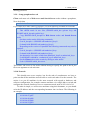
Depending on the version of OpenSSH the following commands may also be
required:
$ cat id_dsa.pub >> $HOME/.ssh/authorized_keys
$ chmod 0600 $HOME/.ssh/authorized_keys
An alternative is to create a link from authorized_keys2 to authorized_keys:
$ cd $HOME/.ssh && ln -s authorized_keys2 authorized_keys
On the Client node test the results by ssh'ing to other nodes:
$ ssh -i $HOME/.ssh/id_dsa server
This allows ssh access to the nodes without having to specify the path to the id_dsa
file as an argument to ssh each time.
3.2.10. Network
This should come as no surprise, but for the sake of completeness we have to
point out that all the machines must be able to reach each other over the network. The
easiest is to put all machines in the same network with regard to hardware and
software configuration, for example connect machines via a single hub or switch and
configure the network interfaces to use a common network such as 192.168.0.x/24.
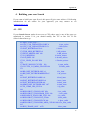
To make it simple, we will access machines using their hostname, so you should
write the IP address and the corresponding hostname into /etc/hosts. The following is
an example.
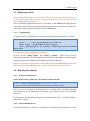
#/etc/hosts
10.10.104.47 gd47
10.10.104.48 gd48
10.10.104.49 gd49
10.10.104.50 gd50
5