1
154
Single page TIFF filter
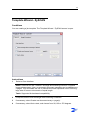
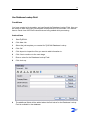
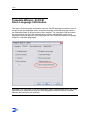
The Single page TIFF Filter is used for importing .tif files and imports these files on a
directory basis. That is, the whole directory containing the .tif files is copied into the
TIFF folder of the specified job. The TIFF files in the import directory are copied all at
once; you cannot import per file. Please note that this process is not recursive.
When you have more directories with TIFF files you want to import automatically, then
you should consider developing a job structure around the TIFF files. This saves you a
lot of import-time and disk space.
Watermark
See Facsys 4.10, Faxination 3.0, Rightfax 5.0, Watermark…
Xerox DCXST Filter
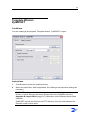
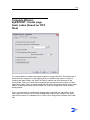
The Xerox DCXST Filter handles the XST files from the multi-page TIFF export of the
XDCs, with respect to the file locks within the XST (to prevent premature import of the
file until upload is complete). Also, it has the ability to extract at least some possible
keyfield data from the XST.
Use this filter if
1) multipage TIFF's (or PDF's) are being used
2) .xst files are present
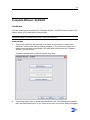
3) the startdelimiters of the fields that have to be filled in ZyField interact with the field
name defined in the .xst file (attention: Case sensitive!).
The .xst file is searched for data in the following format:
"
[description XRX_DSCRPT_METADATA]
Field_0{
string MetaDataFieldName = "Veldnaam";
string MetaDataPrompt = "Prompt";
string MetaDataType = "string";
string MetaDataDefaultValue = "Default veldwaarde";
string MetaDataValue = "Veldwaarde";
}(XRX_STATUS_COMPLETED)
end
"
The file is searched for "MetaDataFieldName", the value between brackets will be
compared with the startdelimiters of the field names. If they are the same (without '<'