1
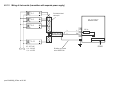
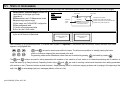
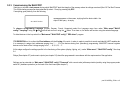
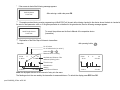
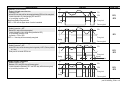
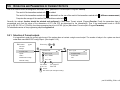
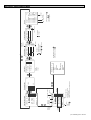
In the above example, current output C1_IN is controlled by the difference between the secondary values of SE300 and SP380. In the case of a single unit,
the sign is indifferent; in fact, average might as well be selected. In the case of the selection of multiple devices, functioning depends on the result of the
mathematical sum. If in the case of selected multiple devices the dimensions or the values are different, the unit will display an error message. Upon
selecting the value, confirm that the appropriate HART command has been seleceted for the device (See Main menu/MultiCONT config/HART / command
set, see chapter 5.4.5.5)
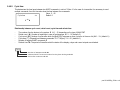
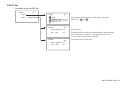
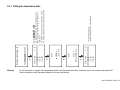
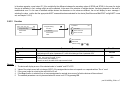
5.8.3.2 Function
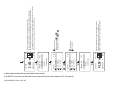
Curr. out.: C1_IN
Programming
Short TAG
Info
28
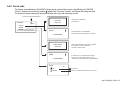
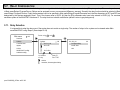
Programming
Source
Function
Parameter
Test
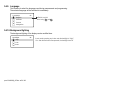
Function
Variable
Error 3.6 mA
Error 22 mA
Not selected
Selected
Select using
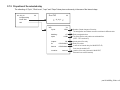
FUNCTION
Value
Error 3.6mA
Error 22mA
31
and
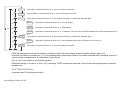
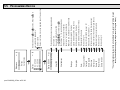
DESCRIPTION OF OPERATION
PROG.PAR.
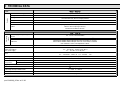
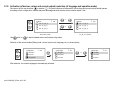
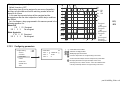
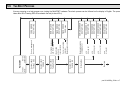
Operates according to the value selected in the „Source” menu item ( DIS, LEV, VOL, FLOW )
4 mA belongs to the value of parameter CP1, while 20mA belongs to that of parameter CP2.
CP3=0 error current for every error
CP3=n error current for code „n” error
For Error Codes ( see chapter 6.)
If there is no error, the value of the output current is 4mA
CP1,CP2
CP3
Remark:
1.
2.
3.
4.
5.
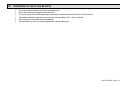
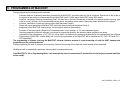
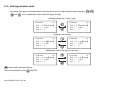
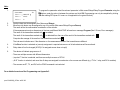
The device will display an error if the selected mode is “variable” and CP1=CP2
Value of the output current will not change (HOLD), if the assigned device does not respond or or responds with an “Err xx” error!
If the current output is not active the output will be 0 mA.
If the Error function is selected, then no source assignment is required since errors of all active devices will be monitored.
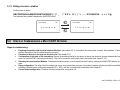
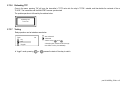
The modified parameters can only be saved when the cursor is on CP3 by pressing OK.
prw1101a0600p_05.doc ♦ 71 / 89