1
Charging the battery
BATTERY LIFE
The battery level is shown in the upper right corner of the screen in all
camera modes. When the battery level is low, we strongly suggest to charge
the battery before it is empty. If a video is being recorded and the battery
level reaches 0%, the camera saves the file before shutting down.
When the battery of the camera is fully charged, it is possible to record
about 2 hours to 2.5 hours, depending of the different videos resolutions.
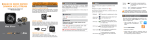
TO CHARGE THE BATTERY:
1. Using the USB cable included, connect the camera to a USB power
source:
-a computer
-a booster pack
-a car charger XHD-CUSB
-a USB adaptor XHD-A
(sold separately p.21)
(sold separately p.21)
Video resolution
Video recording hours
720p @ 30 fps (XCEL HD)
2h30
720p @ 60 fps (XCEL HD2)
1h50
1080p @ 30 fps
2h
480p @ 60 fps
2h15
Note: The video duration is affected when the REMOTE CONTROL option
is enabled.
USING THE CAMERA DURING THE CHARGING OF THE BATTERY
2. Select "CHARGE ONLY" with the M button and press the OK
button.
USB
TRANSFER
While charging, it is possible to take videos and photos and access the setup
menu. In addition, the VIEW mode can be used if the camera is also connected to a TV using the HDMI cable.
CHARGE
ONLY
3. The battery icon displays the loading progress until the battery is fully
charged. We strongly suggest disabling the REMOTE CONTROL option to
maximize the charging time.
To use the VIEW mode, connect the camera to a TV using the HDMI cable.
See the respective section of this mode to use the buttons.
When the battery is empty, the charging time is about 5 hours for the battery
to be fully charged. Replacement batteries are also available (XHD-BATT, sold
separately p.21).
HDMI
CAUTION: When charging the battery, the camera may become very hot
if it is plugged in for many hours.
It is also possible to charge the battery by removing it from the camera and
using the dual battery charger (XHD-CHG, sold separately p.21).
17
USB